The harness for coding agents · Bring your own agents
Stop juggling accounts. Keep your agents working.
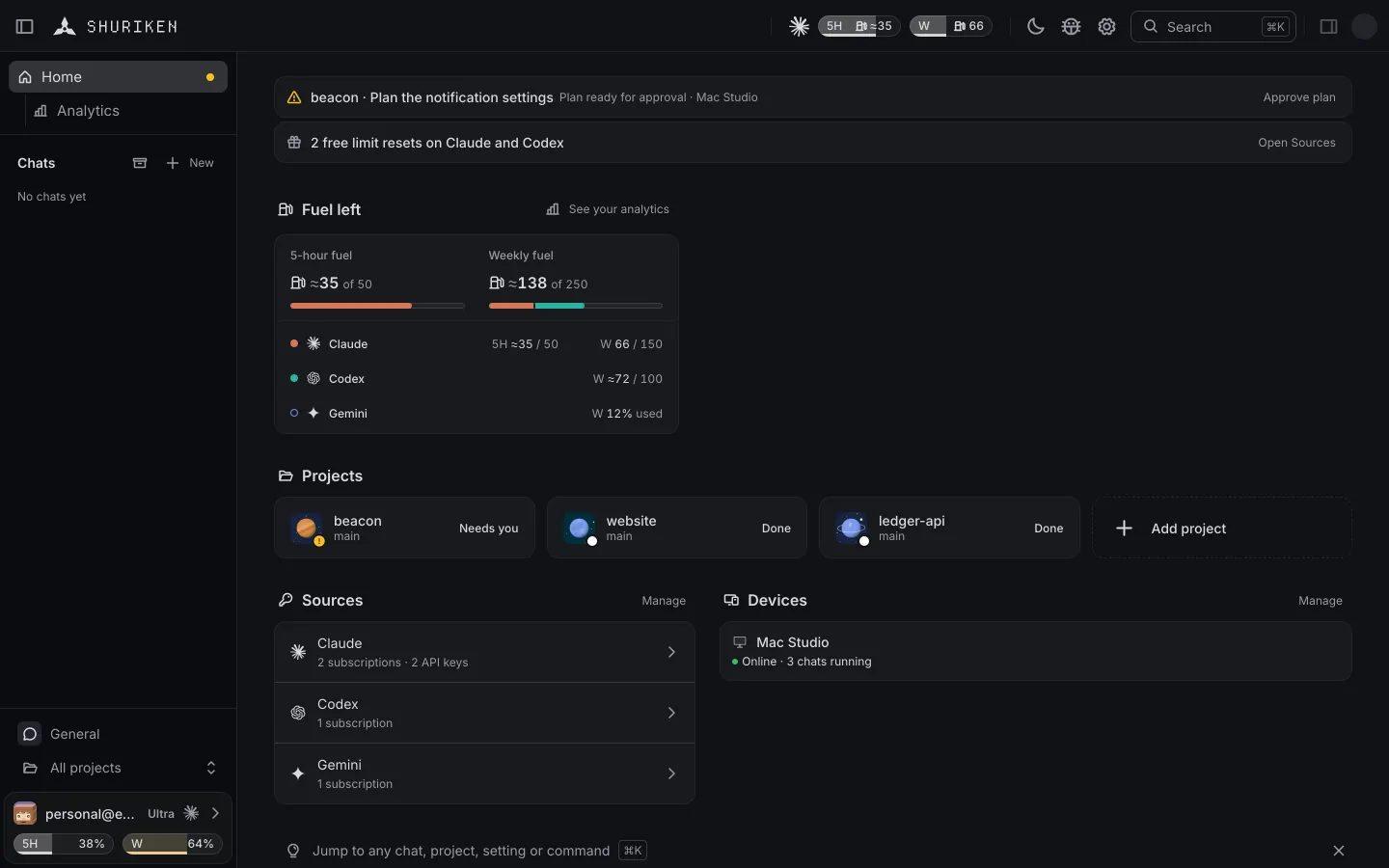
Shuriken runs Claude Code, Codex and 65 more coding agents on your own computers. When one of your plans reaches its limit, your chats move to another of yours and keep going, on every device.

Switch sources
When one account runs dry, the next one takes over.
Your chat moves to your next account by itself, mid-task, on every device.
Learn more
Parallel agents
Run as many agents as you like.
They work side by side, each on its own branch if you want. Shuriken sets no limit.
Learn more
Activity
See what every agent is doing.
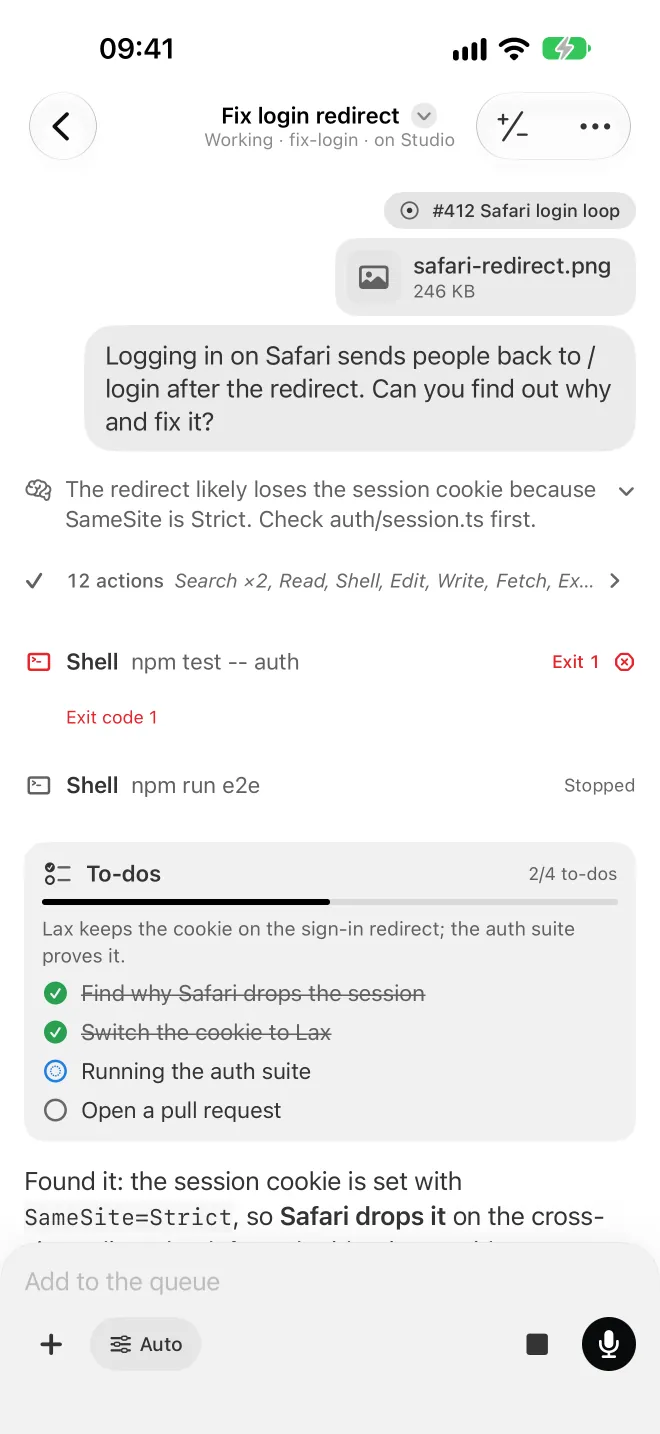
The subagents, workflow phases and shells a chat started, live in one panel beside it.
Learn more
On any device
Start at your desk, check in from wherever you are.
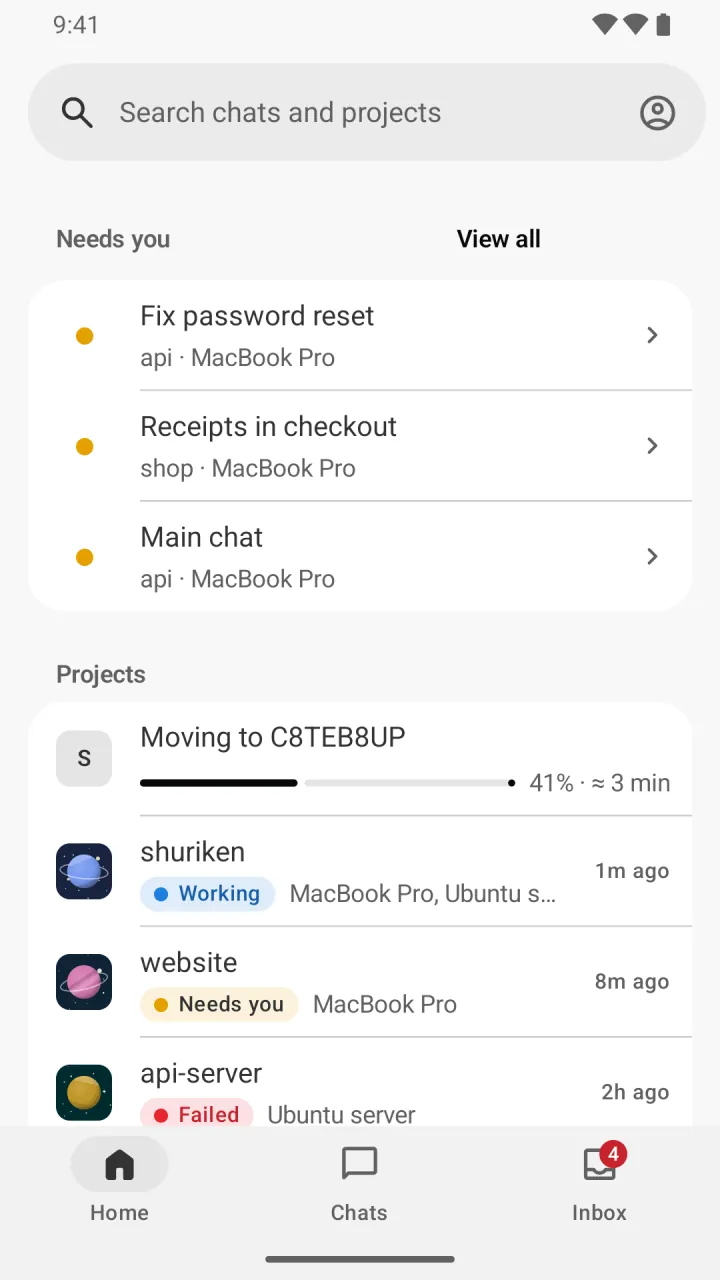
Agents run on your Mac, Windows or Linux computer and on your servers, and every chat follows you to any browser and to your phone.


- macOSDownload
- WindowsDownload
- LinuxDownload
- iPhoneComing soon
- AndroidDownload APK
- Web appOpen
- ServerSet up
Fuel
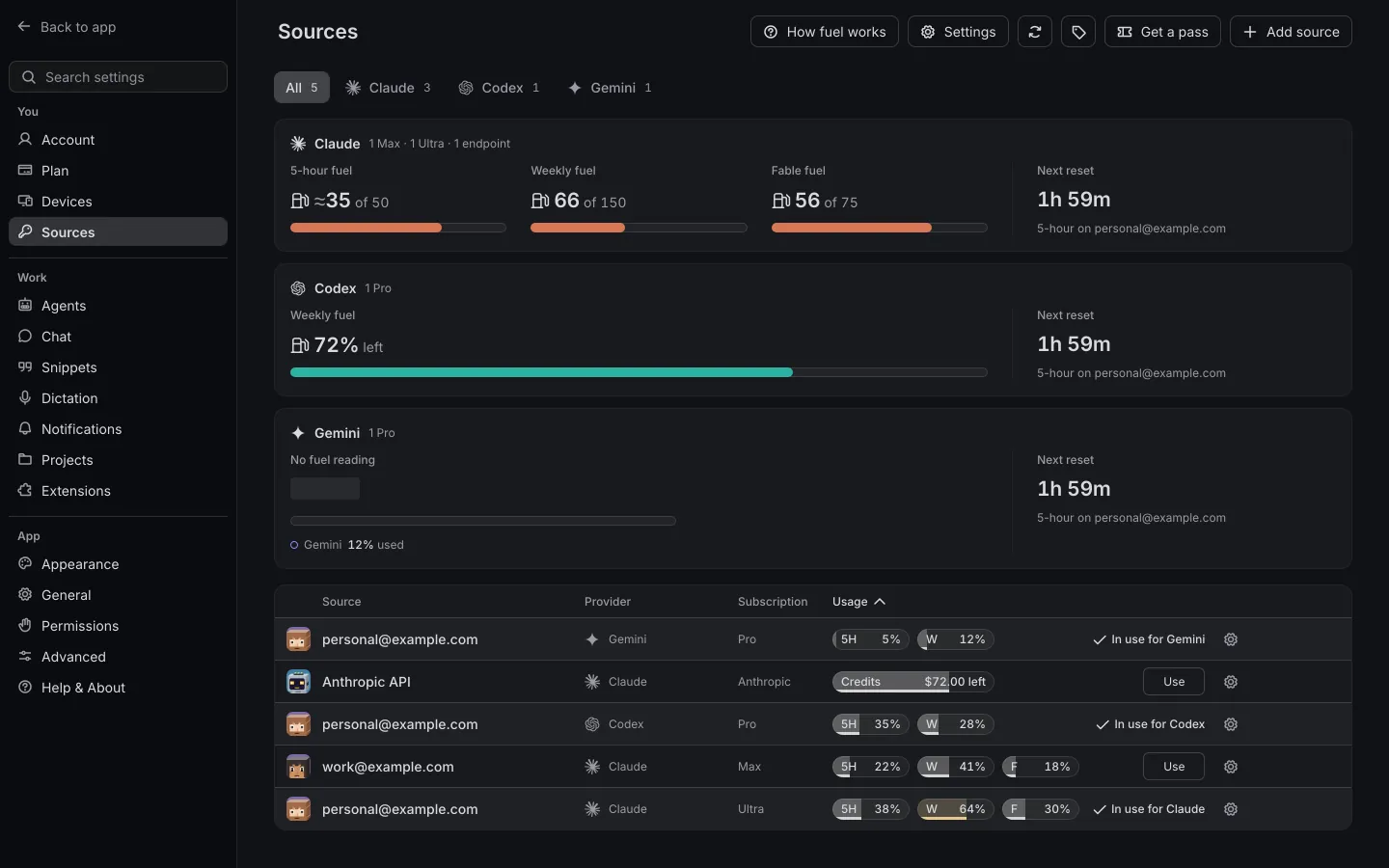
All your plans, in one fuel gauge.
Fuel is one number for what all your plans have left this week. A Claude Ultra or a Codex Pro is 100, a Claude Max 50 and a Claude Pro 10, so three Pros and an Ultra come to 130.
- 100Claude Ultra or Codex Pro
- 50Claude Max
- 10Claude Pro
Free forever. Pro if you need it.
Free: 2 sources (accounts or API keys) and 2 devices, no card. Pro: every source and machine you have, €49 a month.
14-day free trial of Pro, cancel any time. You enter your card to start. It's charged €49 a month when the 14 days end, unless you cancel before.
What is Shuriken?
A harness for coding agents. It runs Claude Code, Codex and the rest on your own computers and servers, keeps every account you have in use, and lets you follow it all from your phone.
How is it different from running Claude Code in a terminal?
You get the same agent, plus: chats that move to another of your accounts at a limit, a branch of its own for each chat if you want one, a queue, Activity for subagents and workflows, a browser your agent can drive, voice, and your phone. You can still open any chat's folder in a terminal or your editor.
Which coding agents does it work with?
67 of them, from Claude Code and Codex to Gemini CLI, Copilot, Cursor and Amp.
When does Shuriken switch accounts?
When the account in use reaches your switch point (99% by default, anywhere from 50%) or hits a limit. Claude Code chats move on their next request, other agents when their turn ends.
What does keeping session limits running mean?
Claude's session limit runs in 5-hour windows, and a window starts the first time you use an account, not when the last one ends. When one of your subscriptions has a window that hasn't started, Shuriken sends it one tiny request in the background, to the smallest model, so the window starts and its limit comes back sooner. That's one request per window, from the one computer the account is signed in on. It never shows in a chat or your history, and it counts toward that account's usage.
Where do my agents run? Can you read my code?
On your own computers and servers, and no, we can't read your code. It stays on the computer the project is on and goes from there straight to your AI provider. Our cloud links your devices and runs no agents, and what travels between them is end-to-end encrypted. The exceptions, such as a dev server preview you open through shuriken.sh, are on the security page; the privacy policy lists what the cloud keeps.
Does it work on my phone?
Yes: the web app works in any browser and installs to your home screen. The Android app is a download today (Google Play soon), and the iPhone app is coming to the App Store.
Is Shuriken free?
Yes, there's a free plan with no end date: 2 sources and 2 linked devices, no card. Pro is €49 a month or €490 a year, 2 months free. See Pricing.
Do I pay Shuriken for usage?
No. Your agents run on your own Claude, ChatGPT and other subscriptions, or on your API keys, and those stay billed by their providers as they are now. Free costs nothing. Pro is €49 a month for Shuriken itself. We never send you a usage bill.
Bring your agents. Keep your accounts.
Free forever, no card. Use the accounts you already have.
Built as our internal tool. Opened up because it was too useful to keep to ourselves. How it started