Parallel agents
Run as many agents as you like.
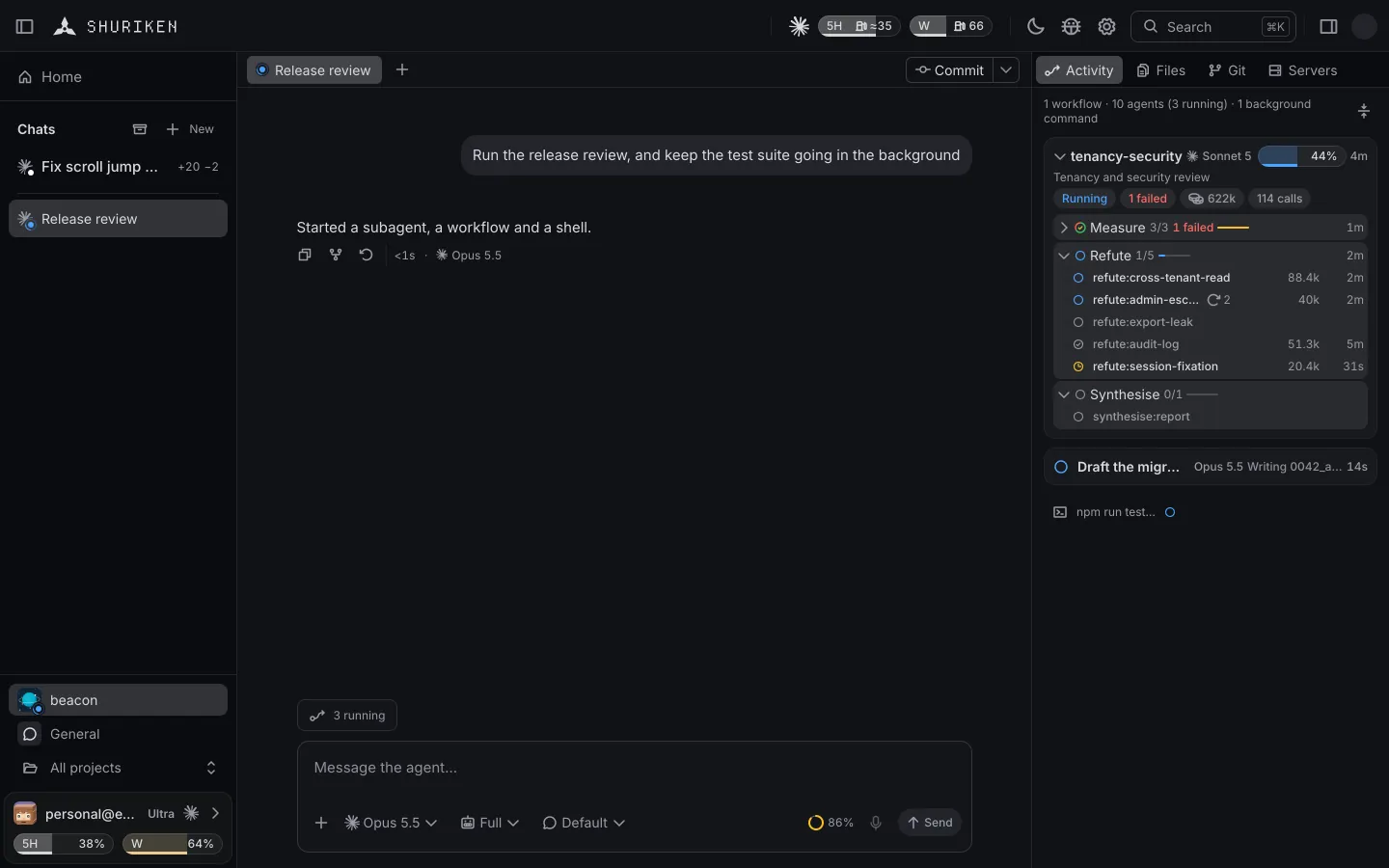
Shuriken runs as many agents side by side as your machine and your plans allow. A new chat works in the project folder, or on its own branch in a git worktree if you pick Own branch, and Finish merges an own-branch chat back after the checks you list in shuriken.json.

The problem
Two agents in one folder edit the same files.
Run a second agent in the same checkout and both write to the same working tree. One reverts what the other just changed, the tests run against a mix of both, and you untangle it by hand.
How Shuriken handles it
How it works
-
Start a chat.
It works in the project folder. Pick Own branch instead to give it a new branch in its own worktree, so its changes stay apart from other chats'.
-
Start another.
Run as many side by side as your machine and your plans can take. Shuriken sets no limit.
-
Finish.
On a chat with its own branch, one click catches up with its base, runs your checks and merges. A pull request is in the chat's git menu.
Split view: everything side by side.
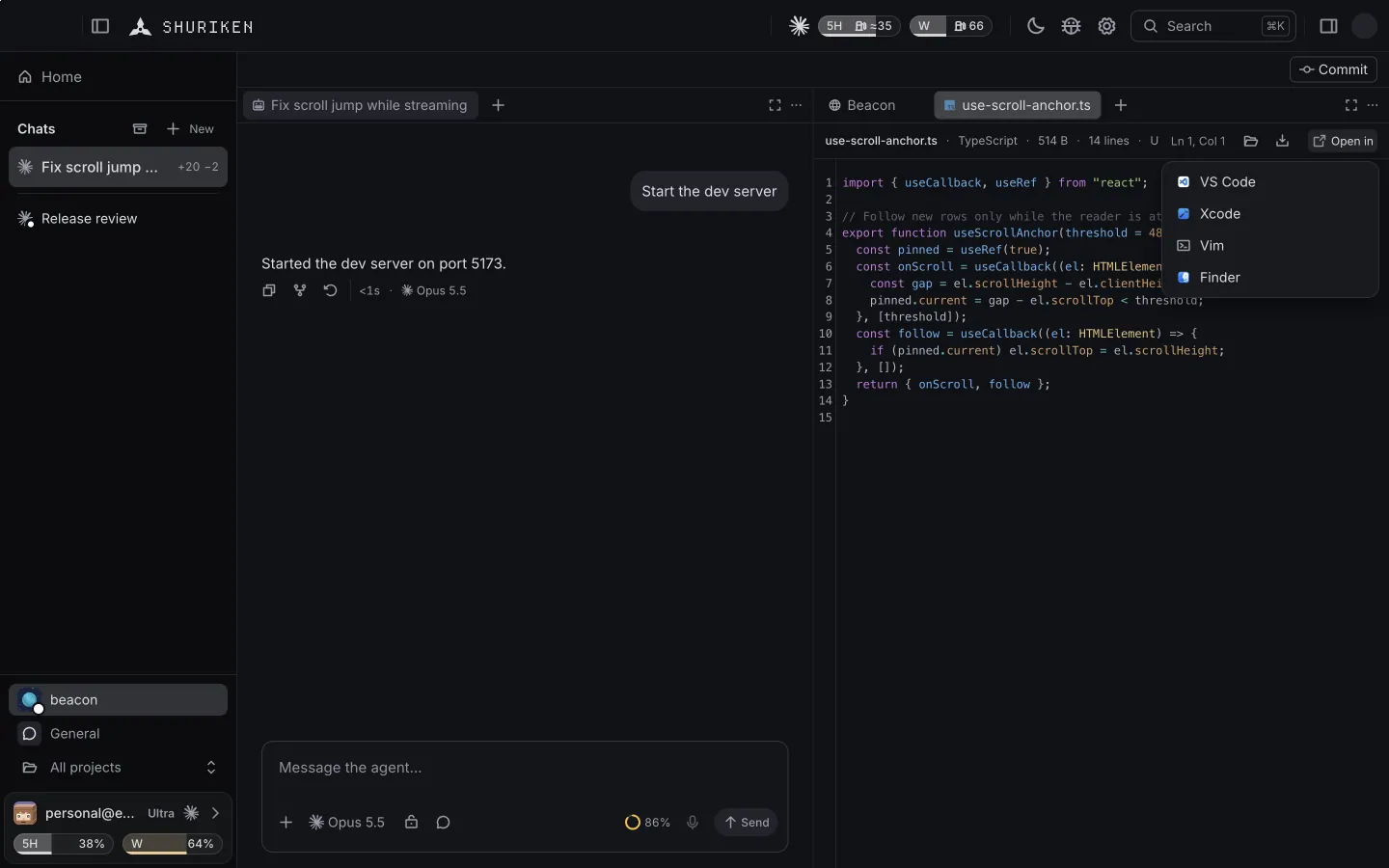
Split a chat's window into panes and keep its changes, a terminal or a file open beside the conversation, or in the desktop app the page your agent is building.

- Pick Open in split view on a chat tab, or press ⌘\ for a new pane on the right and ⌘⇧\ for one below (Ctrl on Windows and Linux).
- Each pane has its own tabs: the chat, its changes, a terminal or a file, and in the desktop app a page in the built-in browser. Move a tab to the next pane with the keyboard.
- In the desktop app and in any browser. On a phone a chat keeps one pane.
The details
No cap per device
Your machine and your plans set the limit, not Shuriken.
The Main chat
Every project has one, working in the project folder itself, for quick changes in place.
Checks before merge
List your checks in shuriken.json and Finish runs them first.
Merge or pull request
Squash-merge it yourself, or open a pull request with auto-merge.
Idle chats sleep
A chat idle for 20 minutes frees its memory and wakes with its history on your next message. Turn it off in Settings › Chat › Sleep idle chats.
Good to know
- Each own branch is a full checkout of your project, so many of them use more disk space.
Questions
How many agents can run at once?
Shuriken sets no cap. Your computer and your plans decide how many chats can run side by side.
What is a worktree?
A second checkout of the same repository on its own branch. A new chat works in the project folder unless you pick Own branch, which gives it a worktree so its changes stay apart from other chats'. Each worktree is a full checkout, so many of them use more disk space.
What does Finish do?
For a chat on its own branch, it catches up with the base branch, runs the checks listed in shuriken.json and squash-merges the chat's branch. A pull request with auto-merge is in the chat's git menu.
Bring your agents. Keep your accounts.
A new account's first 30 days of Pro are free. Cancel any time.