iPhone
Shuriken for iPhone.
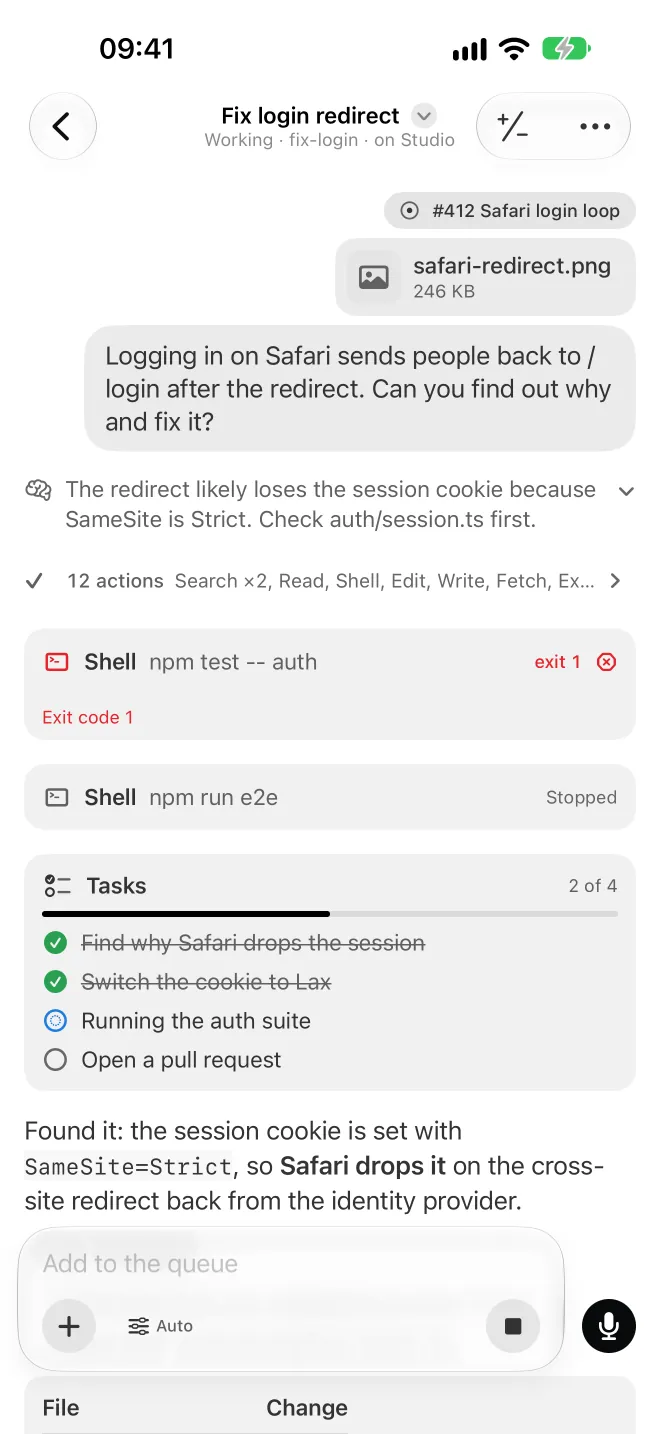
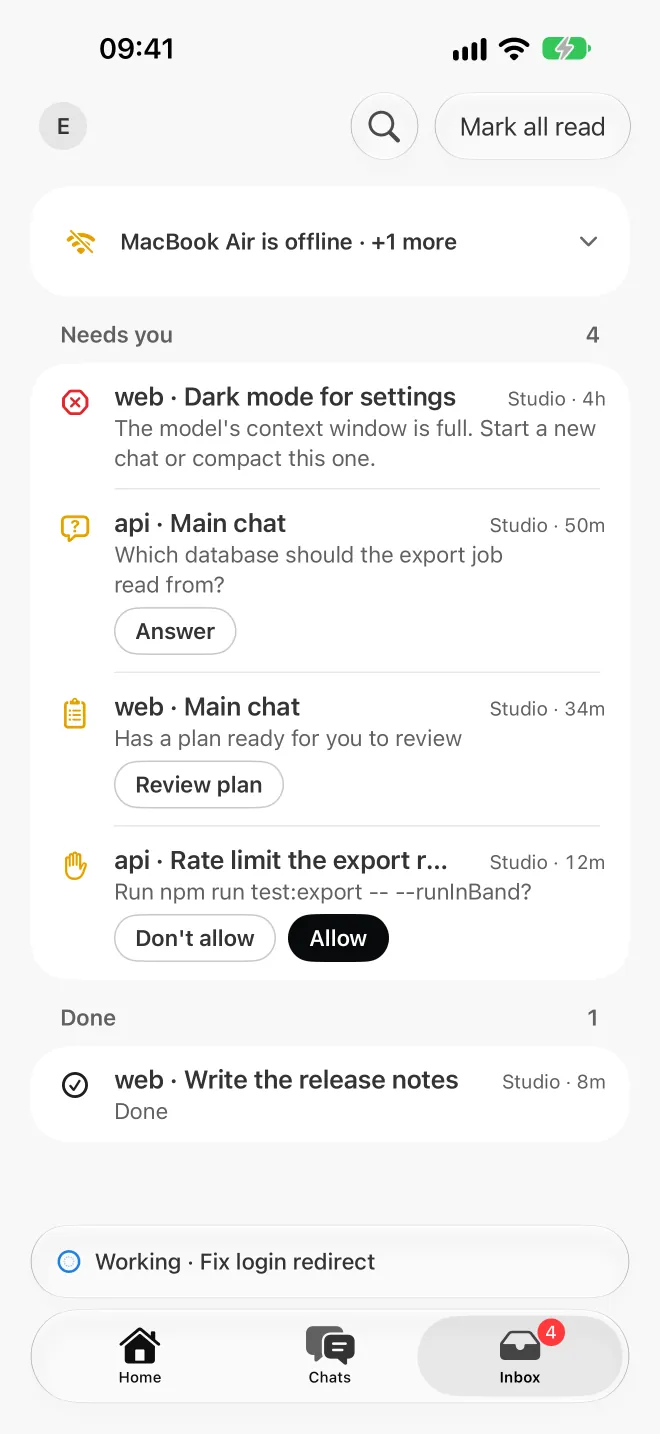
A native iPhone app is coming to the App Store: every chat, the queue, a push when one needs you and your voice. Until it's out, the web app does most of it today, right in Safari.
 Coming soon
Native app for iPhone · App Store
What it will do
-
Every chat, live
Read along, send a message, or queue the next one.
-
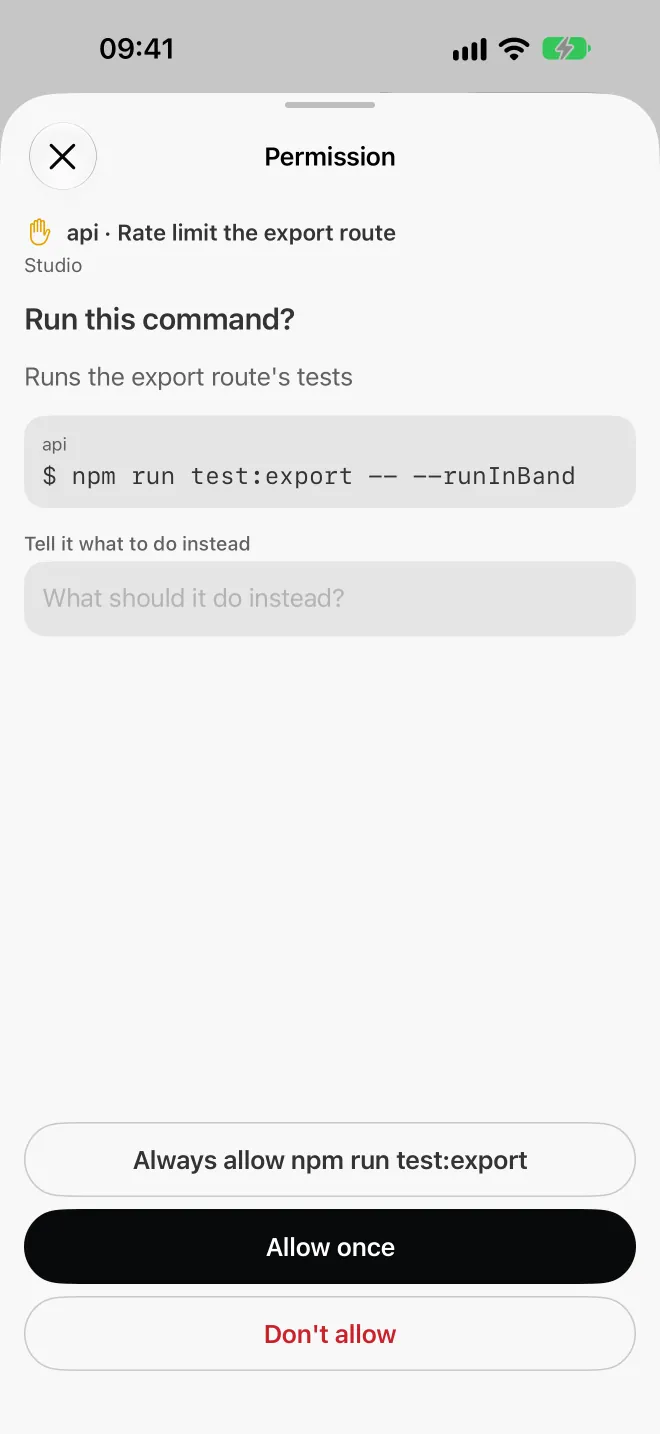
A push when it needs you
What finished, what failed and what needs a decision from you, counted on Home.
-
Your voice
Talk instead of typing. Your own computer turns your voice into text by default, or a live provider you picked with your own key.
Native
Made for iPhone, not a web page in a frame.
Apple's own look from the ground up: sheets, swipe gestures, haptics and a keyboard the conversation follows.
Today
Use the web app on your iPhone.
Open Safari
Go to app.shuriken.sh and sign in.
Share
Tap the Share button.
Add to Home Screen
It opens like an app, full screen, from then on.
Good to know
- Install
- Coming to the App Store
- Today
- The web app in Safari, installable
- Browsers
- Don't count as linked devices
Also on
- macOS Apple silicon (M1 or newer)
- Windows x64
- Linux AppImage and .deb
- Server Agents with no screen
- Android Coming to Google Play
- Web app Any browser
Start at your desk. Check in from anywhere.
Install the app on your computer first: that's where your agents run.