Features
Everything Shuriken does
In short Shuriken is a harness for coding agents: it runs 67 of them, Claude Code and Codex among them, on your own computers. When one of your plans reaches its limit, your chats move to another of yours and keep going, on every device.
Made for power users who are tired of juggling accounts. Here is every part of it.
Your accounts and limits
Every plan and key you hold, counted together and used in turn.
-
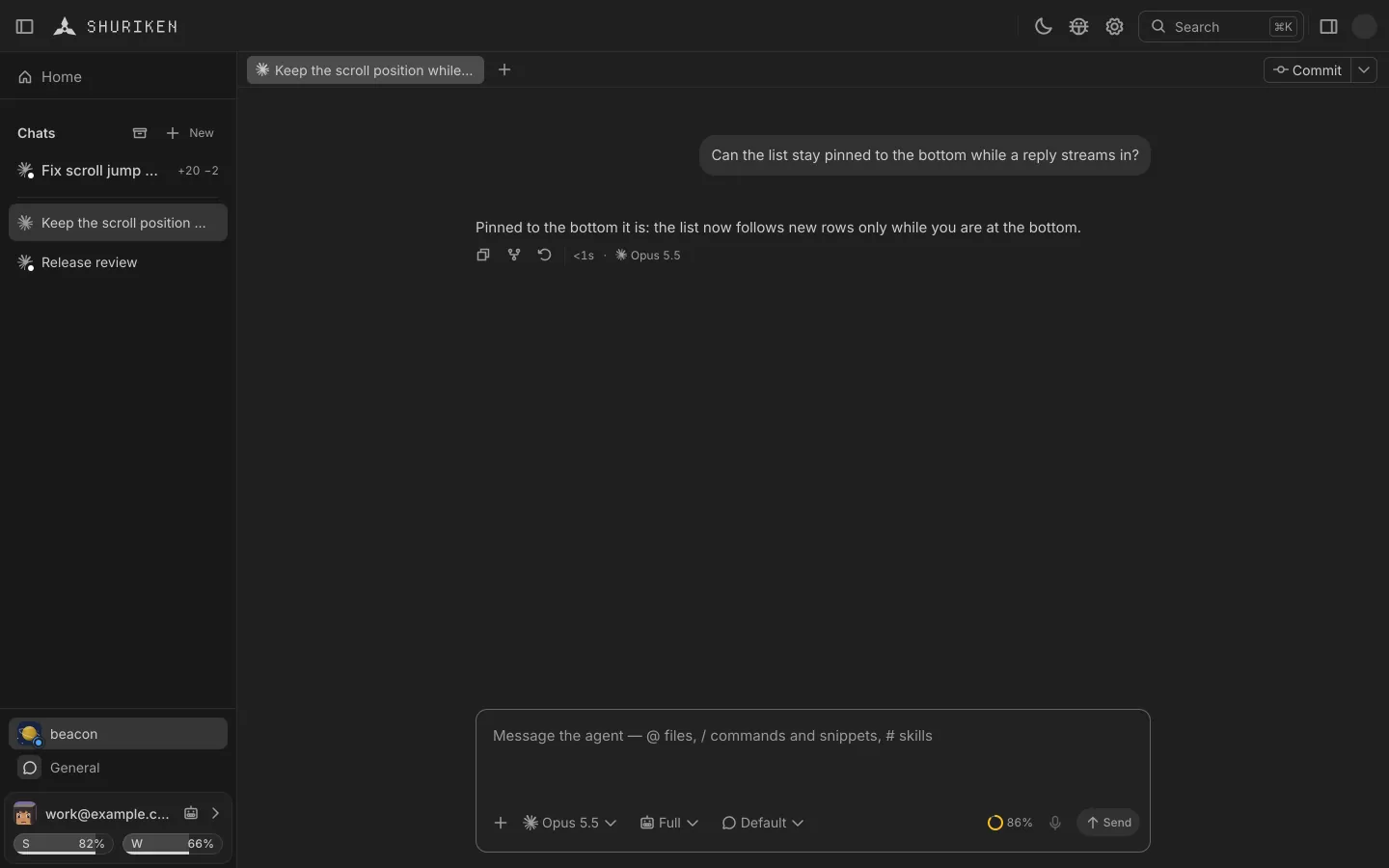
Source switching
One account runs dry, the next takes over
-
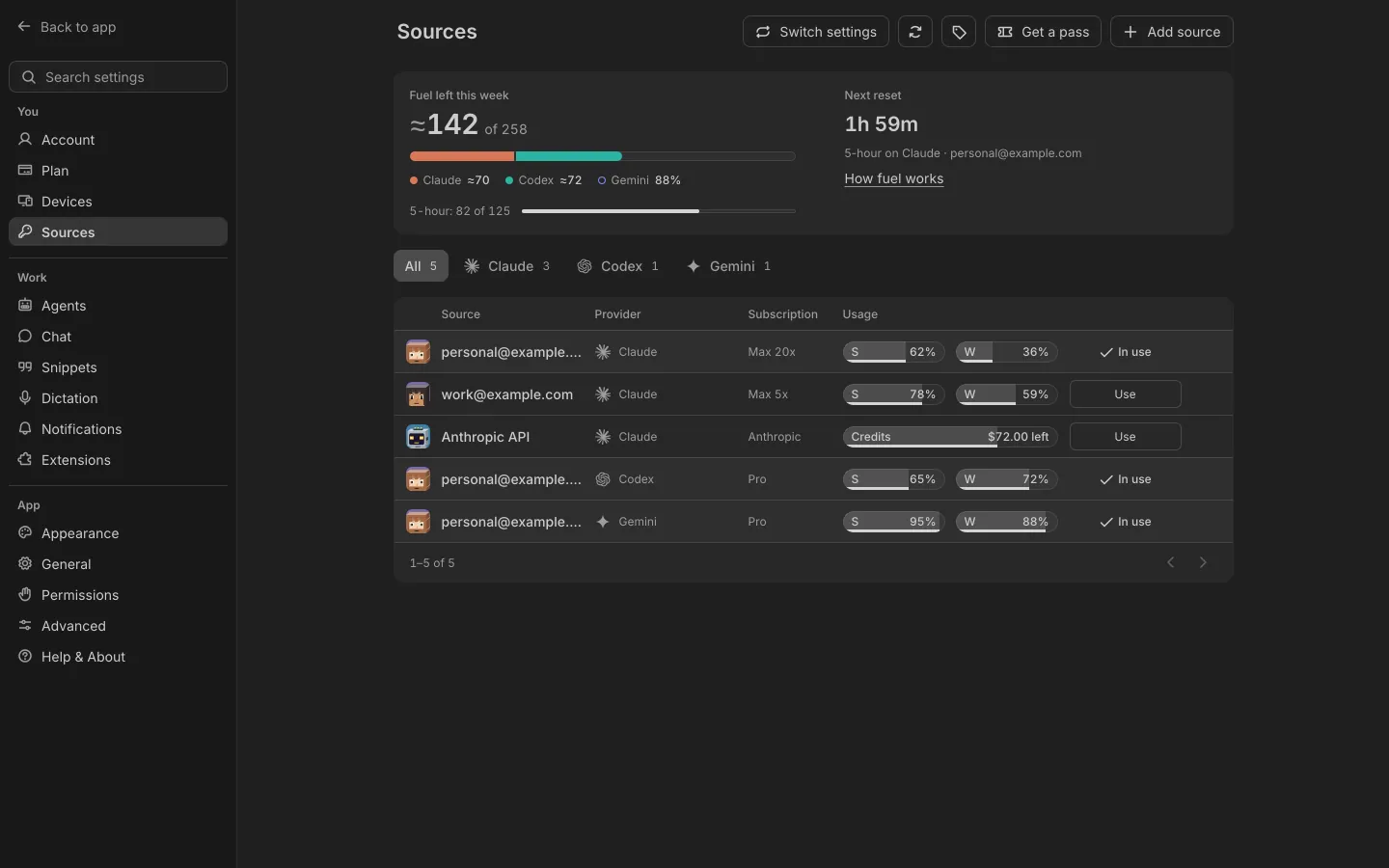
Fuel
Every plan you hold, in one figure
-
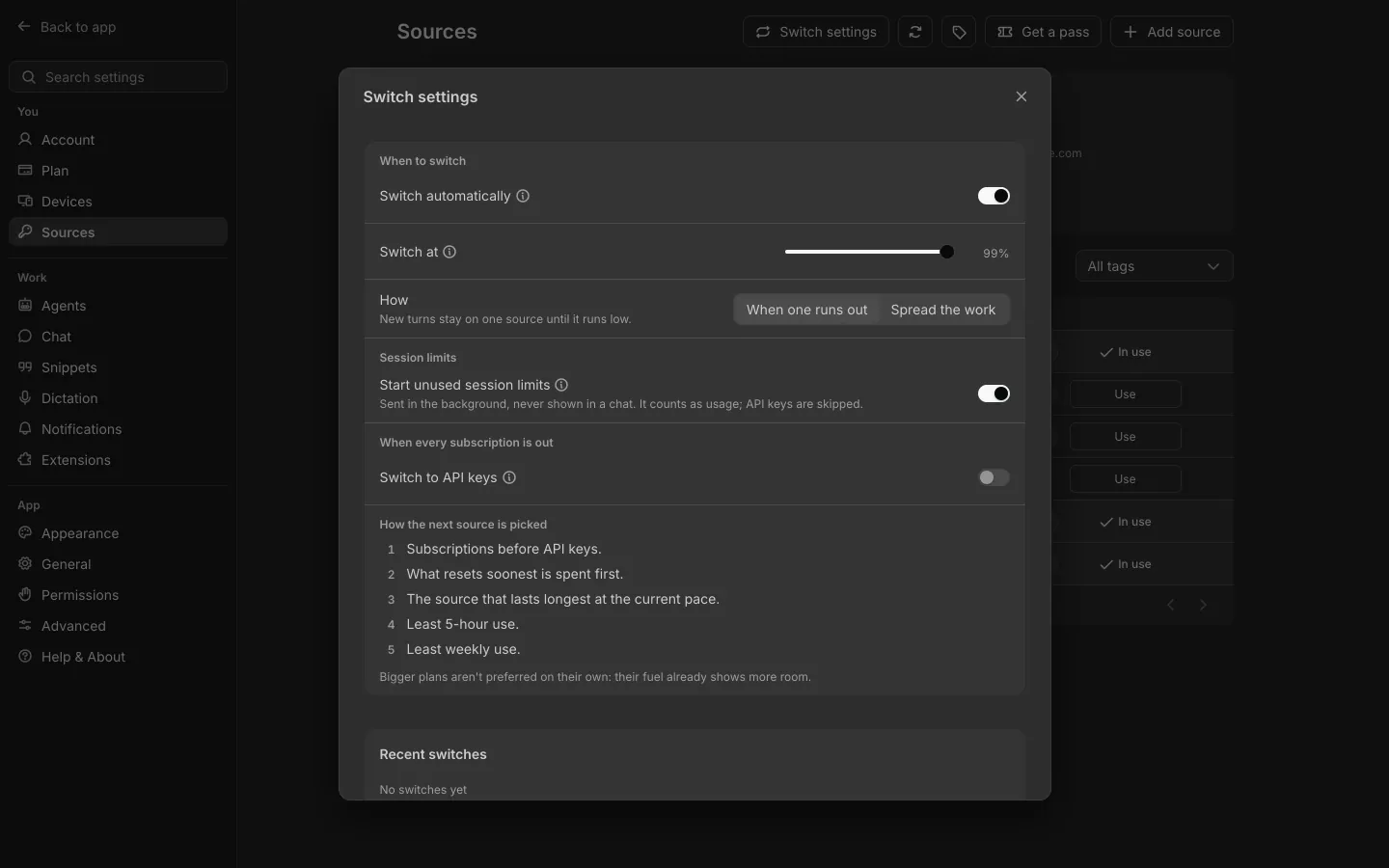
Session limits
Always running, on every account
-
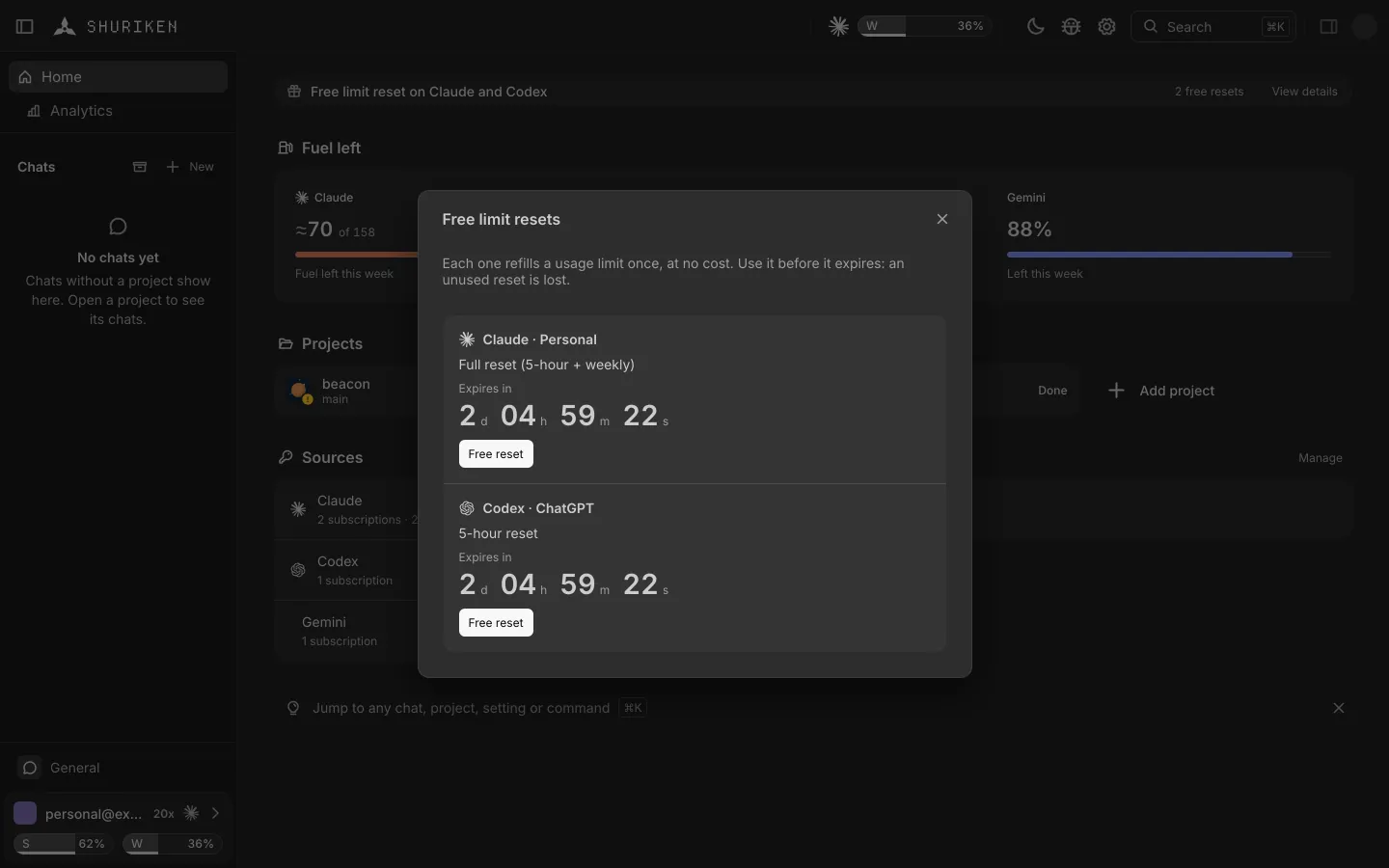
Limit reset alerts
A free reset, with its countdown
-
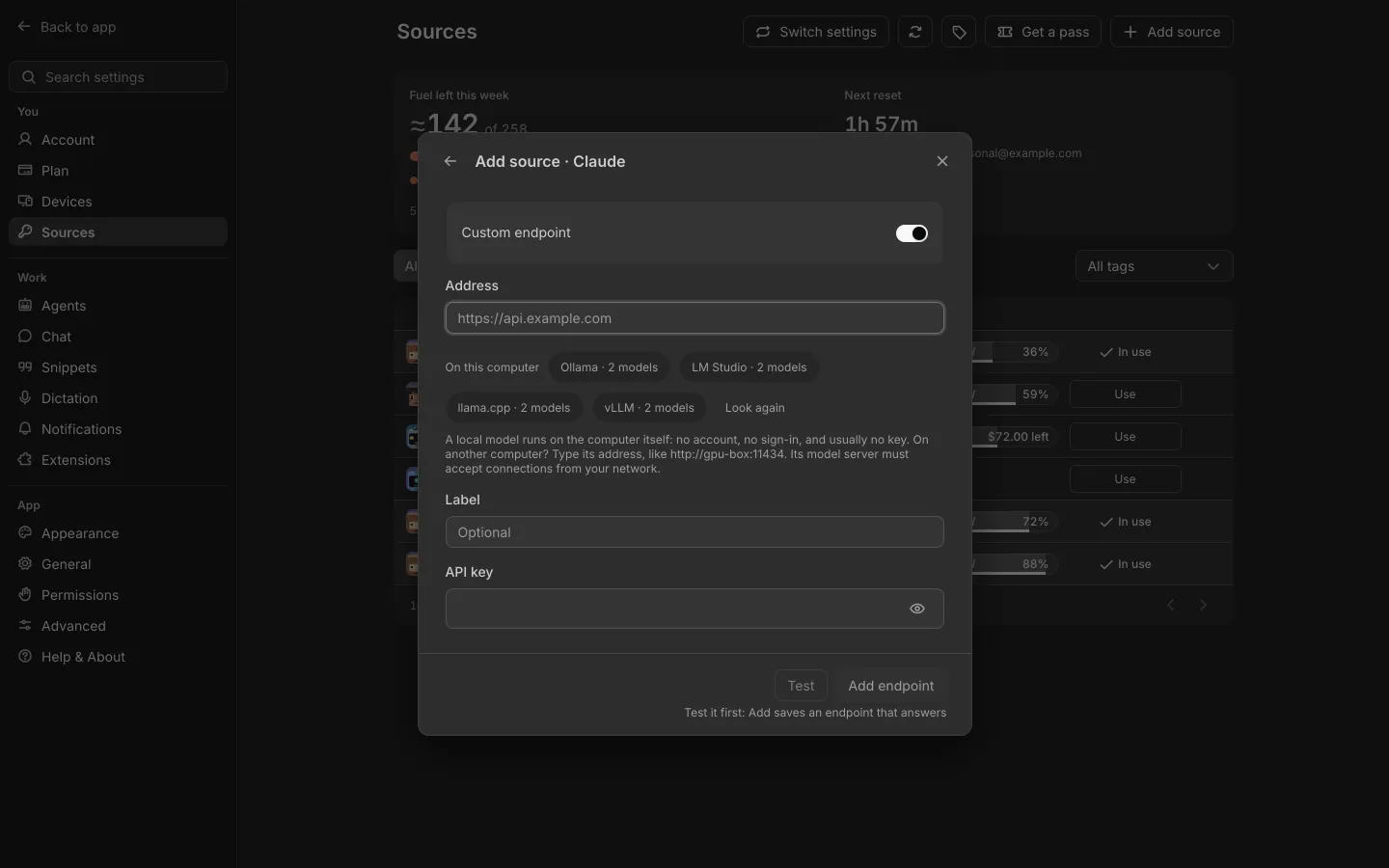
Local models
Ollama and LM Studio as sources
Live cost
What each turn costs, while it runs
Tags
Tag sources Work, Personal or Client, then filter and sort the Sources table by them.
Another company's endpoint
When every subscription of an agent is out, new turns can go to an endpoint you added that runs another company's models, billed per token.
Recent switches
One row per switch, with how many chats moved and why.
Your agents and chats
Agents side by side, and everything around a chat.
-
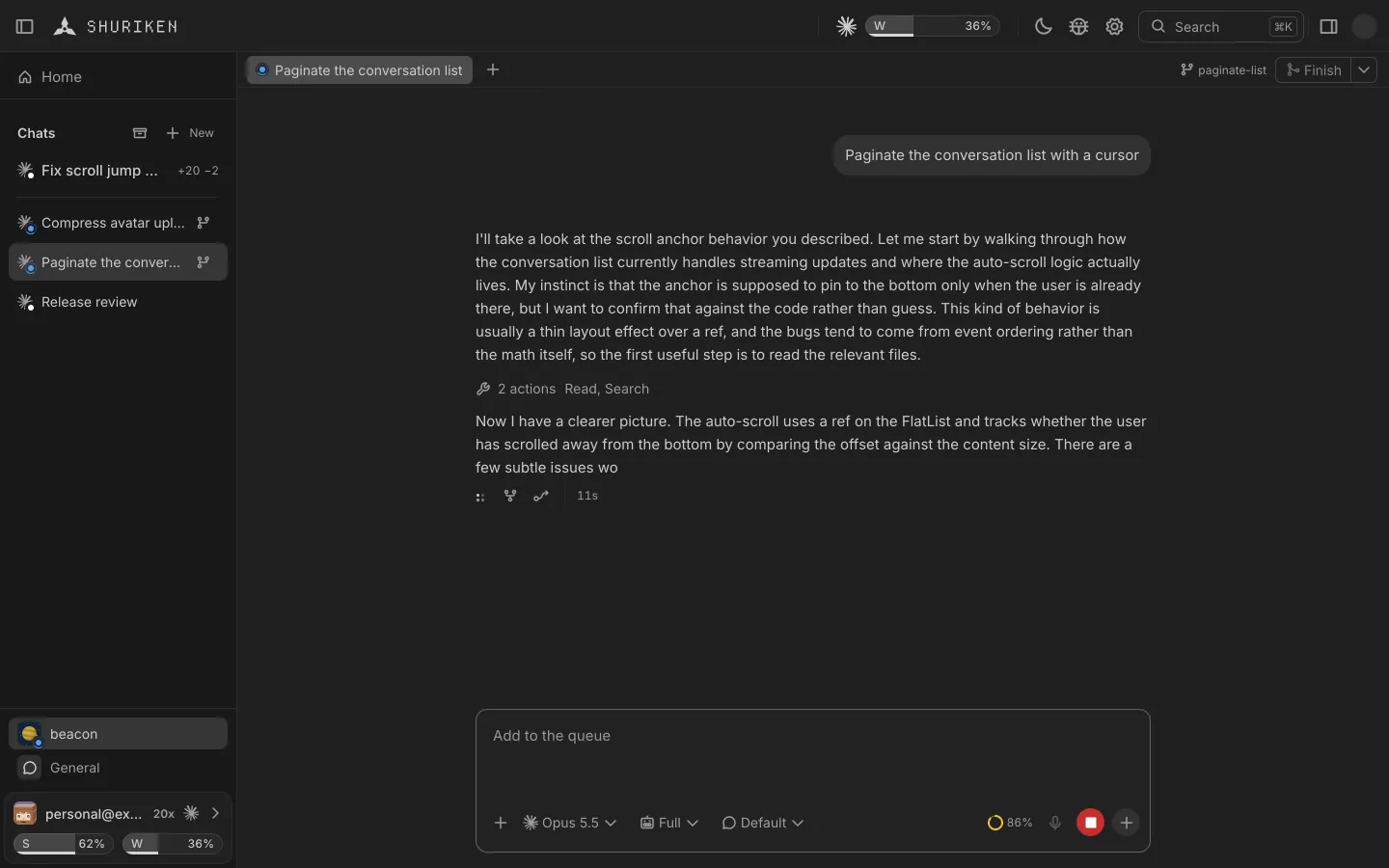
Parallel agents
Side by side, each on its own branch if you want
-
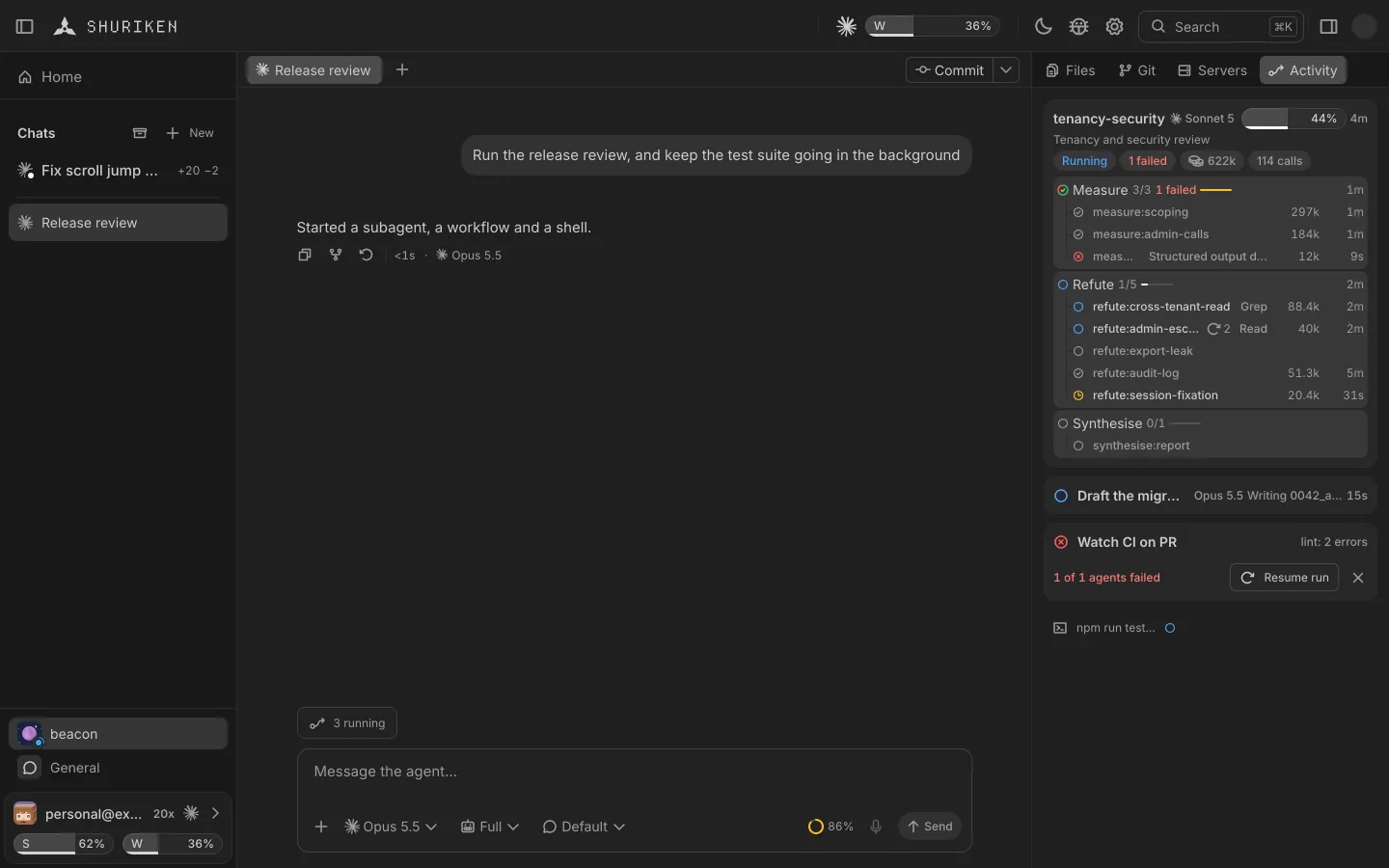
Activity
Every agent, step and shell, live
-
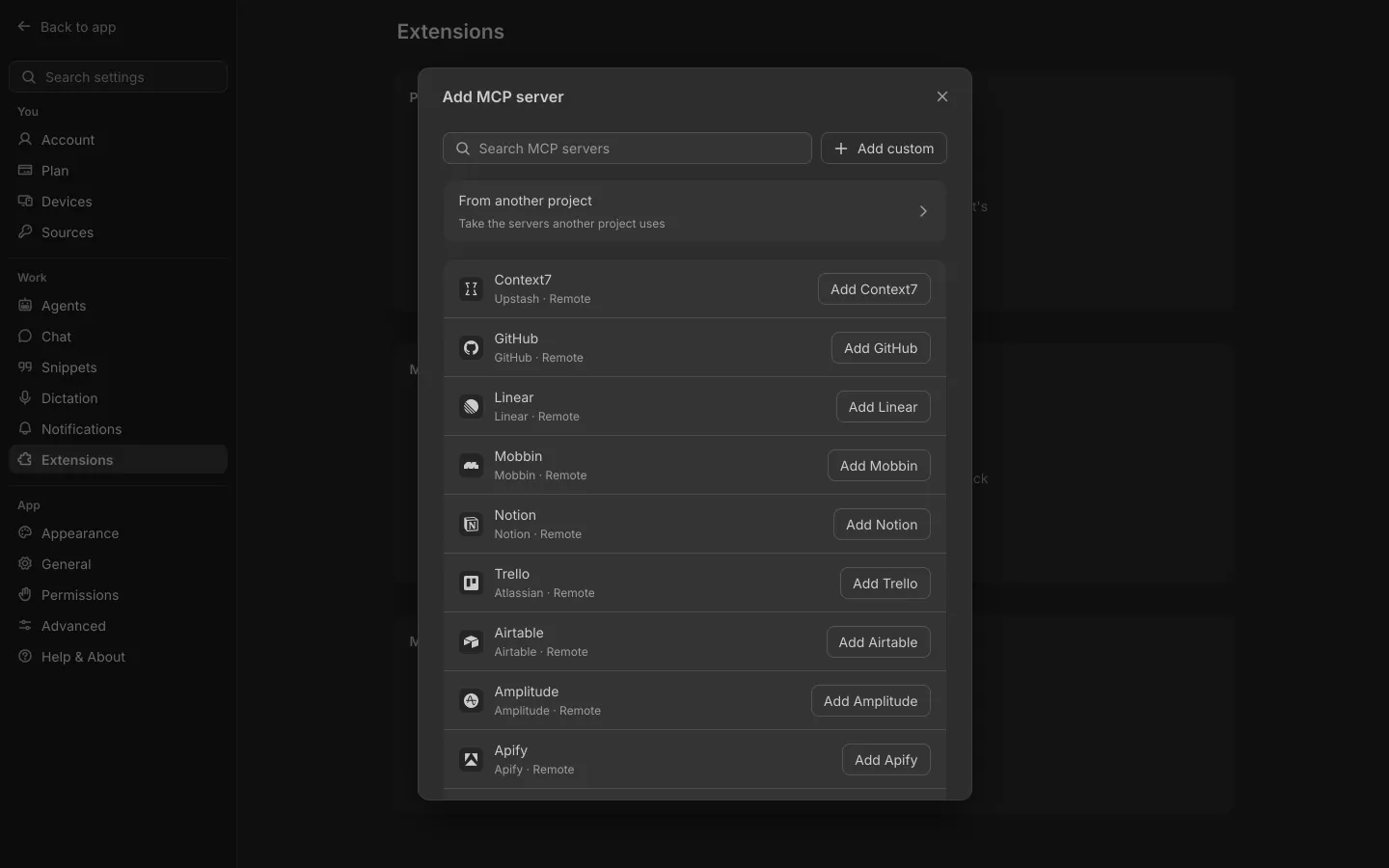
Global MCPs
One MCP list for all your agents' chats
-
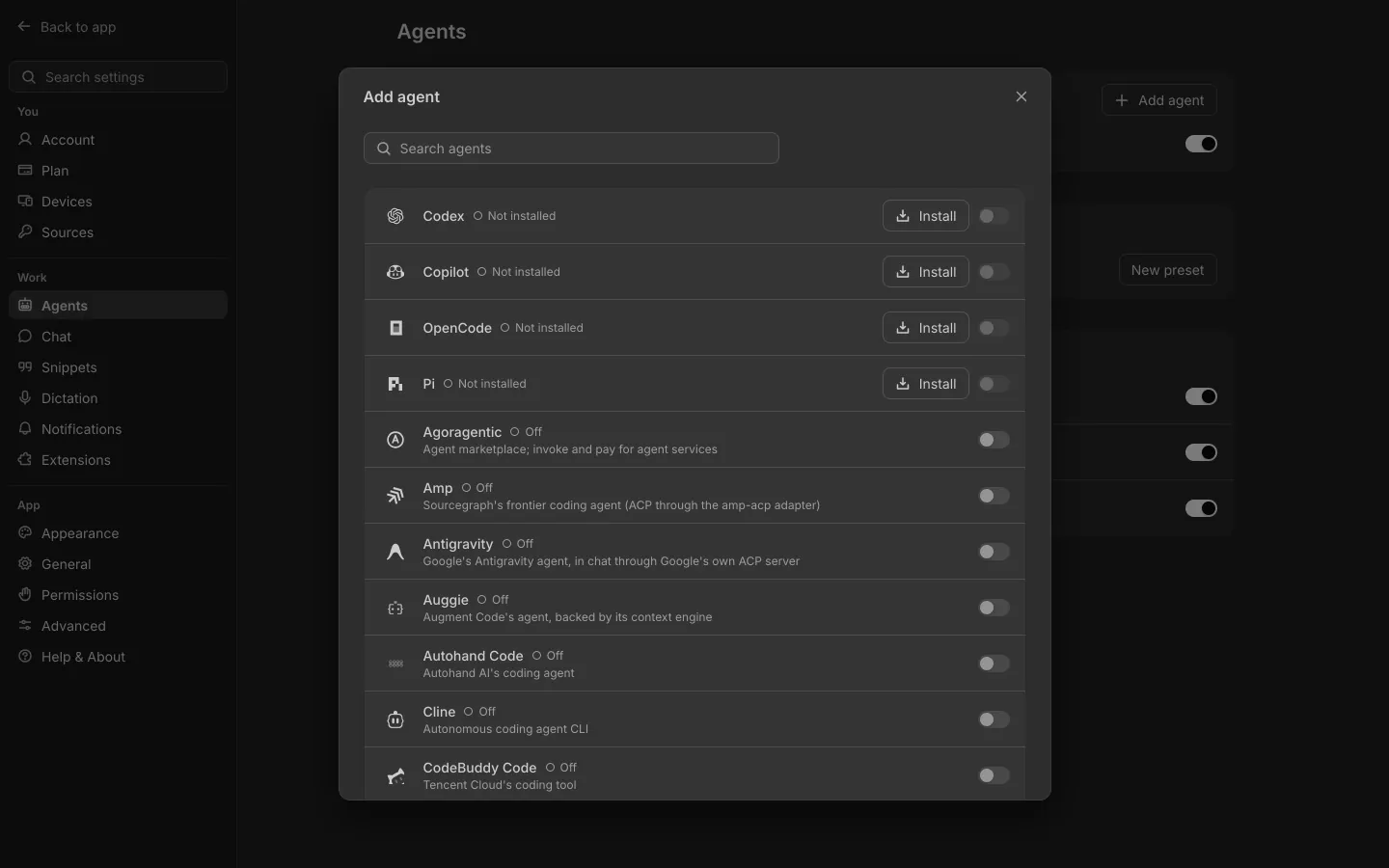
67 coding agents
Claude Code, Codex, Gemini CLI and the rest
-
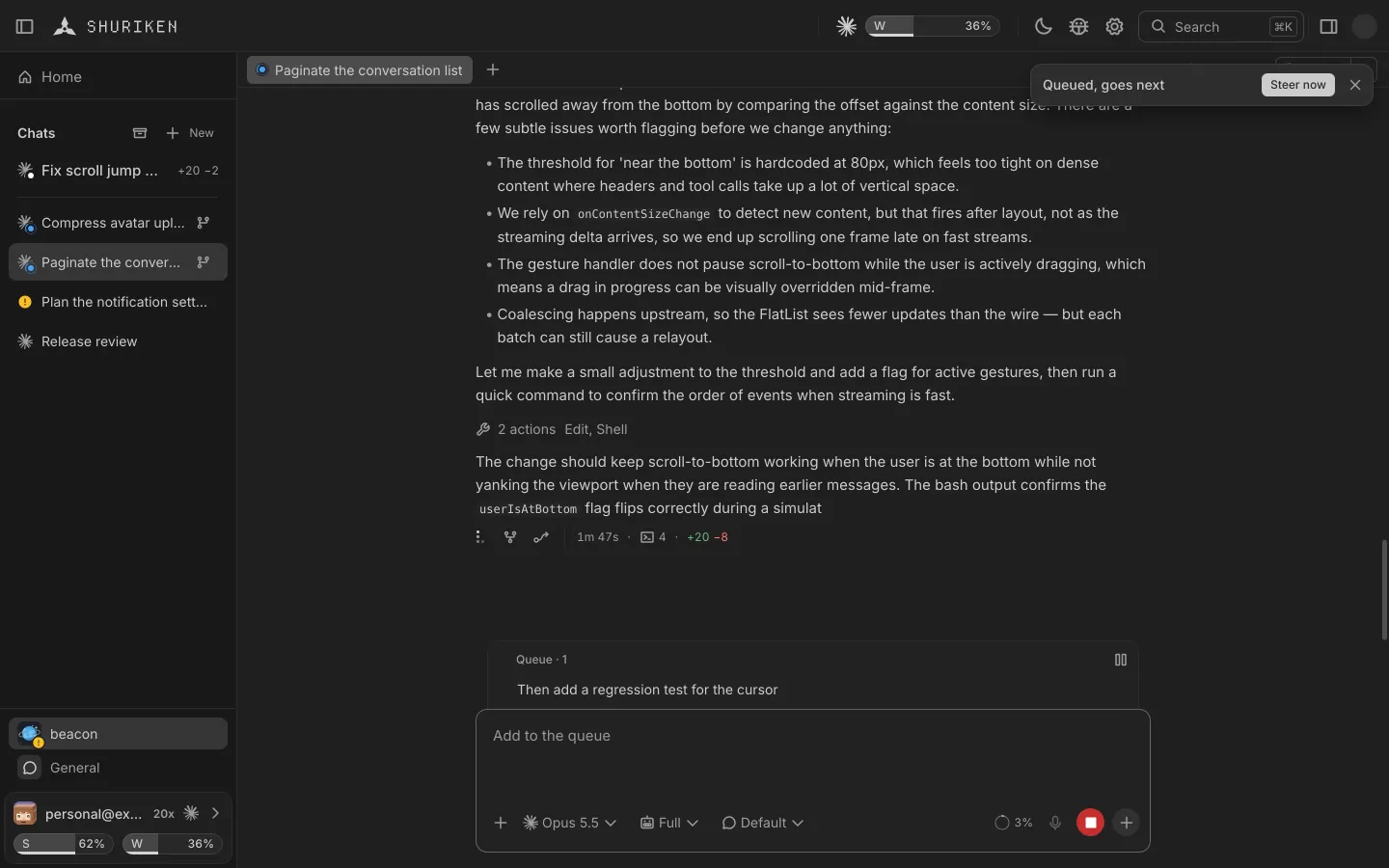
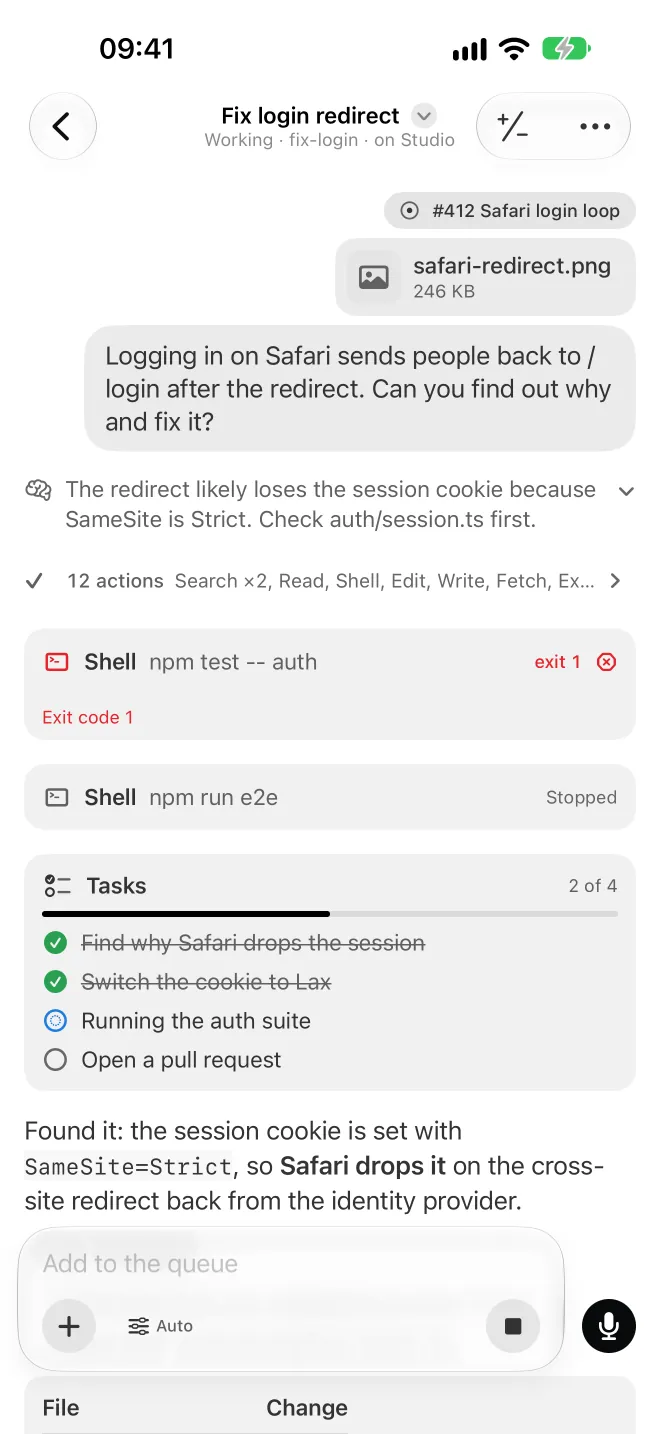
Queue and Steer
Type while your agent works
File cards
Each file the agent hands you is a card in the chat. Open it in a tab or download it.
Sleeping chats
A chat idle for 20 minutes frees its memory and wakes with its history on your next message.
Chats without a project
Ask anything without making a project, like in a plain chat app. Move the chat to a project later.
Forks
Fork a chat from any of the agent's replies to try another way, then Merge into the chat it came from.
Claude Code plugins
Install, enable, update or remove plugins from marketplaces, per project.
Skills
See the skills a project's agents load, edit one, or switch it off.
Import
Bring your projects and their past chats in from Claude Code or Codex.
Agents that know Shuriken
An agent can start a project, open a chat or queue a message for you, each after you confirm it on a card. Switch it off everywhere or per project.
Your tools
The browser, your voice and your editors, beside the chat.
Browser
Point at the page, your agent makes the change
Open anywhere
Any editor, any terminal
Files, Changes and terminals
A side panel with the chat's files, its git changes and Activity, plus built-in terminals.
Dev servers and previews
Shuriken finds a project's dev servers. Start one where a page needs it, or open one that runs on another of your devices.
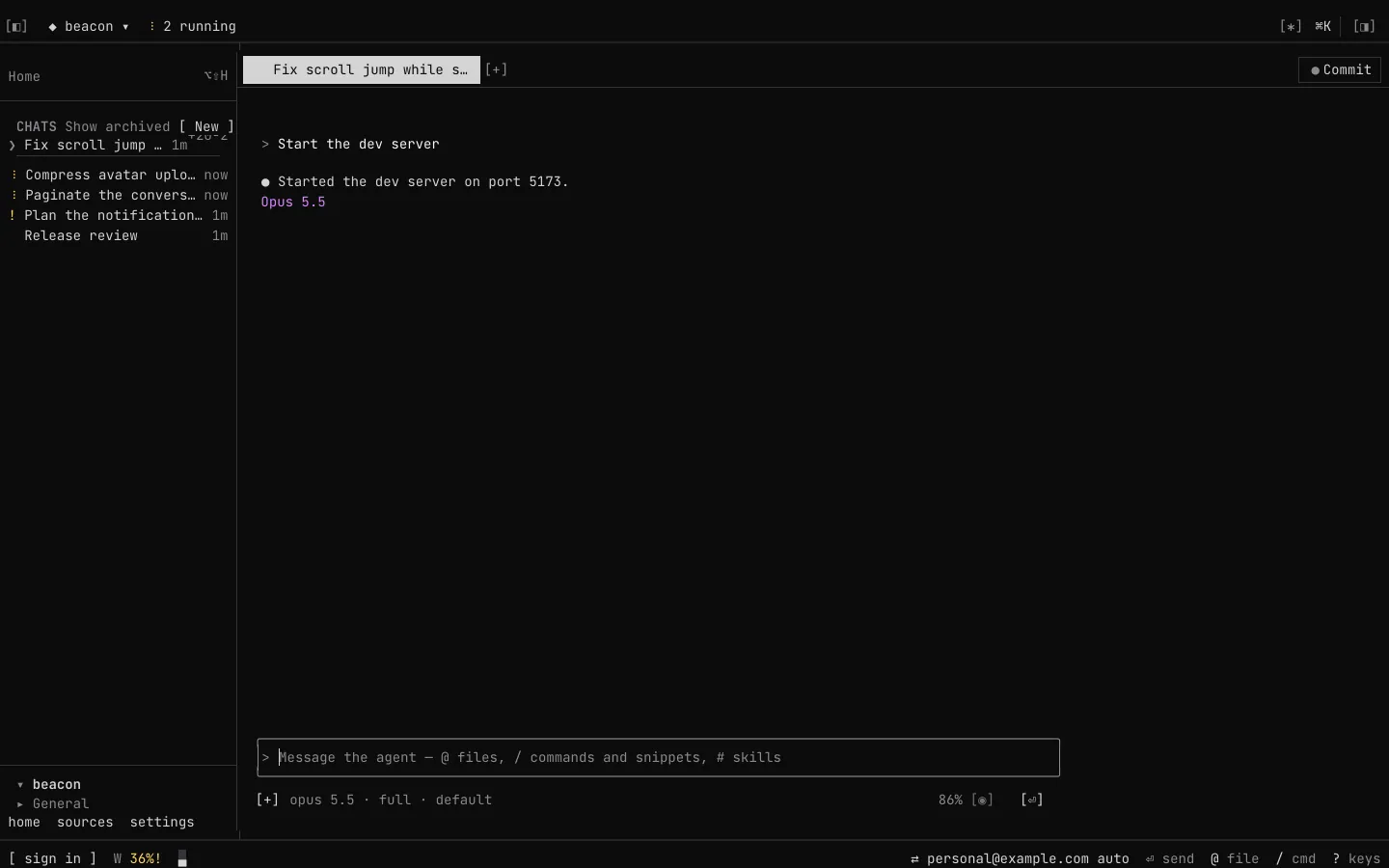
The agent's own terminal
Open any chat in its agent's own terminal interface.
Report a bug
From the top bar or ⌘K, with screenshots of the window. What's new tells you when it's fixed.
The menu bar
Your open projects and their chats, with controls for each chat, from the menu bar.
Right-click the app icon
Recent projects, New chat, Start recording and Settings, from the Dock, the Windows jump list or the Linux launcher.
Keeping work alive
Work that keeps going when you step away.
Background service
Agents run with the app closed
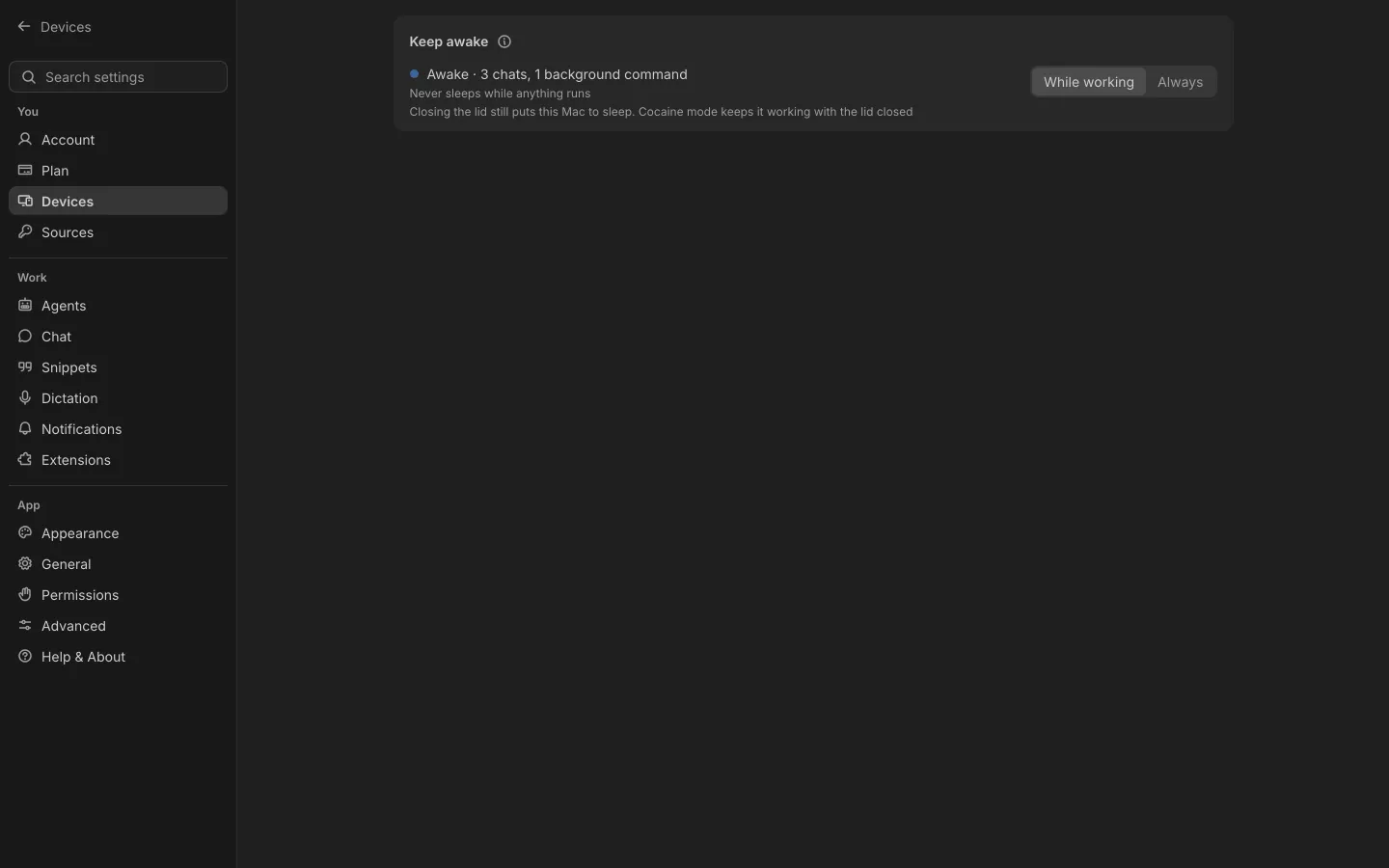
Keep awake
On each device: While working or Always. A computer signed in to Shuriken starts on Always.
Chats ride out hiccups
If a model is refused or the network drops, the chat moves on, or waits and continues.
Together and anywhere
Bring people in, and take it with you.
Live collaborationBeta
One queue, everyone's names
In step on every device
Pinned chats, the queue and notification settings are the same on every device.
Your devices at a glance
A pop-up with each computer's temperature, and battery and low-storage warnings while it runs.
Move a project to another computer
Copies a project to another of your computers over a cable, your network or the internet, with what isn't in git and your .env files encrypted end to end. It checks the copy before removing the original.
Native phone apps
Native iPhone and Android apps are coming to the App Store and Google Play.
Settings, in three groups
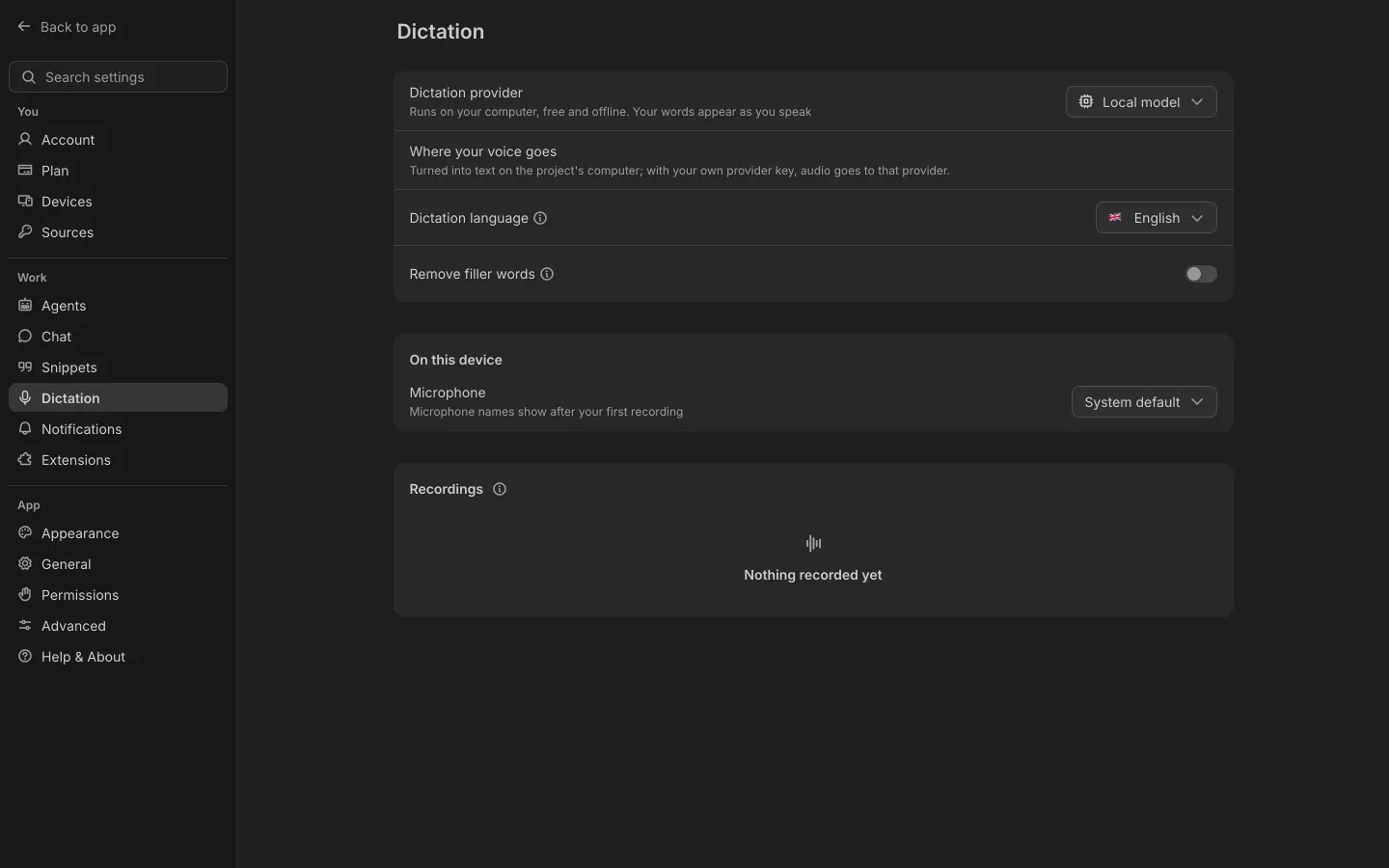
You, Work and App: your account, plan, devices and sources; your agents, chats, dictation and projects; how the app looks. Sources carry tags you filter by.

Works with 67 coding agents
Claude Code, Codex, Gemini CLI, Copilot, Cursor, OpenCode, Amp, Goose and the rest, each with the sign-ins you already have. Or a local model on your own machine.
- Local models
- Claude Code
- Codex
- GitHub Copilot
- OpenCode
- Pi
- Oh My Pi
- Gemini CLI
- Cursor
- Grok
- Amp
- goose
- Auggie
- Cline
- Factory Droid
- Kilo Code
- Kimi Code
- Kiro
- Mistral Vibe
- Qwen Code
- Qoder CLI
- Junie
- Devin
- Hermes
- TRAE CLI
- Rovo Dev
- OpenClaw
- Crush
- Autohand Code
- OpenClaude
- Antigravity
- Aider
- Codebuff
- Freebuff
- Command Code
- Continue
- OpenCode 2
- MiMo Code
- Ante
- Muse
- ZCode
- Prime Agent
- DeepSeek Harness
- Mastra Code
- fx
- Polygraph
- UFO
- Agoragentic
- CodeBuddy Code
- CodeWhale
- Cortex Code
- Corust Agent
- crow-cli
- DeepAgents
- DimCode
- Dirac
- fast-agent
- Gajae Code
- GLM Agent
- Harn
- Kimchi
- MiniMax Code
- Minion Code
- Nova
- Poolside
- siGit Code
- Stakpak
- VT Code
Product names and logos belong to their owners. Shuriken is not affiliated with or endorsed by them.
Bring your agents. Keep your accounts.
Free forever, with 2 sources and 2 linked devices. No card.