Heroin mode comes to Windows and Linux
Shuriken 5.1 keeps Windows and Linux computers awake for your coding agents, lid closed included where the machine allows it. Same name, same warnings.

Contents
On Windows, a laptop goes to sleep when you close the lid because the power plan tells it to. You can change that by hand: Control Panel › Power Options › Choose what closing the lid does › Do nothing. Since Shuriken 5.1, Heroin mode does it for you while it's on, keeps the computer from sleeping, and puts your old setting back when you turn it off. The same goes for Linux, and the Mac already had it.
Yes, it's still called Heroin mode.
Why this took a while#
The Mac version has been there since our first prerelease on 29 September. Close the MacBook, the agents keep working.
The question we kept hearing after that was whether it works on Windows or Linux. It didn't. Windows and Linux users had to dig through power settings, install a keep-awake utility, or leave the lid open with the screen dimmed and hope. So we built it.
Pick which computers stay awake#
Click the syringe button in the top bar. (We did say we were keeping the name.) You get a list of your devices, this one and the others you've linked, with a switch for each. Turn one on and it stays awake until you turn it off. A pill in the sidebar reminds you it's on.
You can turn it on for a computer that isn't in front of you. Left the office laptop running a long task? Switch it on from home.
What the picker tells you#
Next to each device the picker shows one of five lines, read from the machine itself.
- "Keeps running with the lid closed." Close it; the agents keep going.
- "Stays awake with the lid open. With the lid closed, it needs a one-time permission." This is the Mac until you press Allow: macOS asks for an administrator password once. You can take the permission back later.
- "Stays awake. No lid setting found on this computer." The computer won't sleep, but we found no lid setting to change, so don't count on it with the lid shut.
- "No lid: stays awake." A desktop, with nothing to close.
- "Can't stay awake: this system has no systemd-logind." Some Linux setups, covered under Linux below.
How it works on each system#
Mac#
Shuriken keeps the Mac from sleeping while it runs. For the lid, macOS needs one setting that only an administrator can change, which is why there is a one-time permission. It goes back to normal when Heroin mode goes off.
Windows#
Shuriken tells Windows not to sleep while Heroin mode is on, and sets your power plan's lid action to Do nothing. Before it changes anything, it writes down what the setting was. When you turn Heroin mode off, the old values go back. If Shuriken stops unexpectedly, a small guard process puts them back anyway.
Linux#
Shuriken asks systemd-logind to hold off sleep, idle and the lid switch for as long as it is running. Nothing permanent changes on your system: when Shuriken stops, the hold goes with it. Most desktop distributions use systemd-logind. If yours doesn't, the picker says so instead of pretending.
No promise for every laptop#
Laptops have opinions. Firmware, docks and company-managed power policies can all override what an app asks for. When the picker says "Keeps running with the lid closed", that's what it read from your machine, but try it once with a short task before you trust it with a whole night.
The honest warnings#
The fun name comes with grown-up advice:
- Heat. A closed laptop has less room to breathe. Put it on a hard, open surface, not a duvet.
- Bags. A laptop working hard inside a backpack has nowhere to lose heat. Don't.
- Battery. Agents running all night use power like any heavy work. Plug it in for long runs.
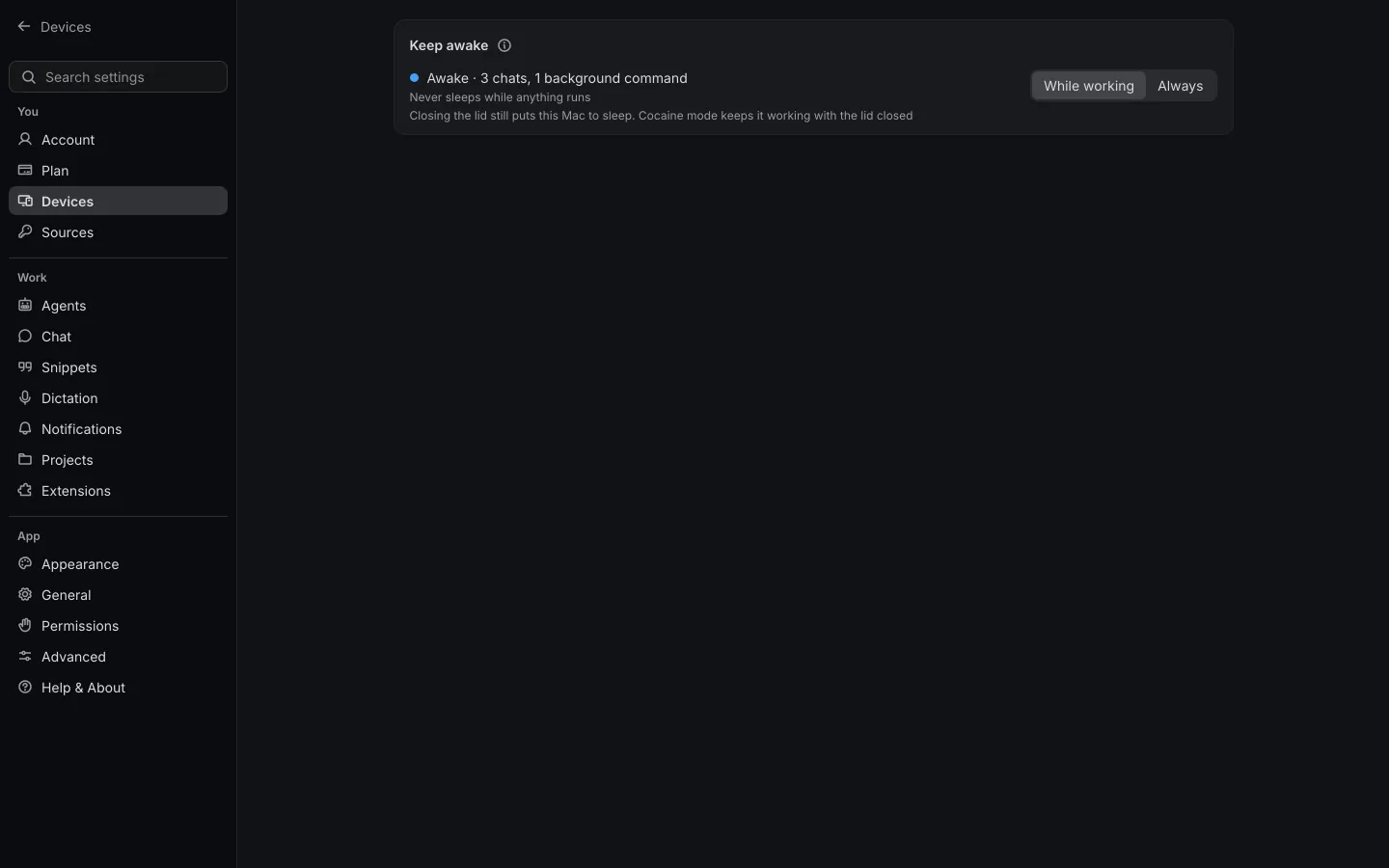
Two things make it easier to be sensible. If you don't need the lid closed, each device's page has a plain Keep awake setting. A computer signed in to Shuriken starts on Always, so it stays reachable; switch it to While working and it holds the computer awake only while an agent, the queue or a workflow runs. And whenever Shuriken isn't running, your computer sleeps as usual. For a machine that should never sleep, a server is the calmer option.
Yes, it's called Heroin mode#
Yes, that's its name. Your laptop looks out cold with the lid shut and keeps working anyway, it's a little bit irresponsible, and you won't forget what it does. The longer answer is in Yes, it's called Heroin mode.
Heroin mode is on every plan, Free included. The details live on the Heroin mode page, the Mac walk-through is in keep Claude Code running with the lid closed, and the Windows and Linux apps are on /windows and /linux. Or just try Shuriken and close the lid.
Frequently asked questions
How do I keep a Windows laptop awake with the lid closed?
By hand: Control Panel, Power Options, Choose what closing the lid does, and set it to Do nothing. With Shuriken, turn on Heroin mode for that computer and it sets this for you while it is on.
Does Shuriken change my Windows power settings for good?
No. It notes your lid settings before changing them and puts them back when Heroin mode goes off, and a guard puts them back if Shuriken stops unexpectedly.
Does it work on every Linux distribution?
It needs systemd-logind, which most desktop distributions use. Without it, the picker says the computer can't stay awake.
Can I carry my laptop in a bag while agents run?
We advise against it. A laptop working hard in a closed bag has nowhere to lose heat. Leave it on a desk or a shelf, ideally plugged in.
Is Heroin mode free?
Yes. It is part of every Shuriken plan, Free included.


