Claude break reminders: take the break, keep the agents
Claude's break reminders sit in Settings › Wellbeing and nudge you after a daily amount of time. Take the break; your coding agents can keep working.

Contents
Claude's break reminders live in Settings › Wellbeing, or Settings › Time and focus if your settings still have the older layout. You pick how much time with Claude a day is enough. When you reach it, Claude nudges you, and you can stop, snooze it, or dismiss it and carry on. Anthropic put them out in beta on 9 July 2026, alongside a monthly recap called Reflect.
We like the idea. We also make a harness for coding agents, so we read it with a bias: the break is for you. The agents never asked for one.
What Claude's break reminders and quiet hours do#
The help page describes two settings. A break reminder counts your time with Claude across the day and speaks up once you pass the amount you chose. Quiet hours are days and a start and end time: open Claude inside them and it reminds you that you set this time aside, with a Continue button. Neither is a hard lock. Anthropic says so in those words, which is the most developer-friendly sentence on the page.
Both are in beta on the Free, Pro, Max and Ultra plans. You set them on the web or in Claude Desktop, and they follow you to the mobile app. They are also separate from your plan's usage limits. The reminder counts your time, not your tokens, and snoozing it buys you no extra usage.
Does Claude's Reflect recap count Claude Code?#
No. Reflect is the recap under Settings › Wellbeing: your most active day, your peak hour, how many conversations you had, a daily chart and the topics you spent time on. Its help page says Claude Code and Cowork activity is left out. Whatever you did in the terminal at 2 a.m. stays between you and git log. The July announcement also said a view of time spent was coming soon.
How to take the break and keep the agents working#
The reminder goes off and you stand up. What happens to the agent halfway through a refactor depends on where it runs. In Shuriken it runs on your computer or server, and the window is only a view of it, so leaving the window stops nothing.
Before you go, type the next message, and the one after it. While the agent is busy they go into the queue and run in turn.
Then check the computer won't nod off. Each device's page has Keep awake: Off, While working or Always, and a computer signed in to Shuriken starts on Always (keep awake only while agents work covers While working). A Mac can keep running with its lid shut too. That switch is called Cocaine mode. We stand by the name.
Leave the desktop app and, by default, after 7 seconds it covers itself with Rest mode: the time and where each project stands, and no streaming text to stare at. The chats keep running underneath it, and you can start it yourself from the command menu (⌘K).
Coming back from the break#
When a chat needs you, with an approval, a question or finished work, Shuriken sends a notification on your computer. If the break is a walk, your phone shows every chat on every computer of yours, and Home counts what needs you. That works in the web app or the Android app; the iPhone app is coming (Shuriken on your phone).
Back at the desk, a toast that starts "While you were away" counts the chats that need you, and Activity shows the subagents, workflow phases and background commands that ran meanwhile.
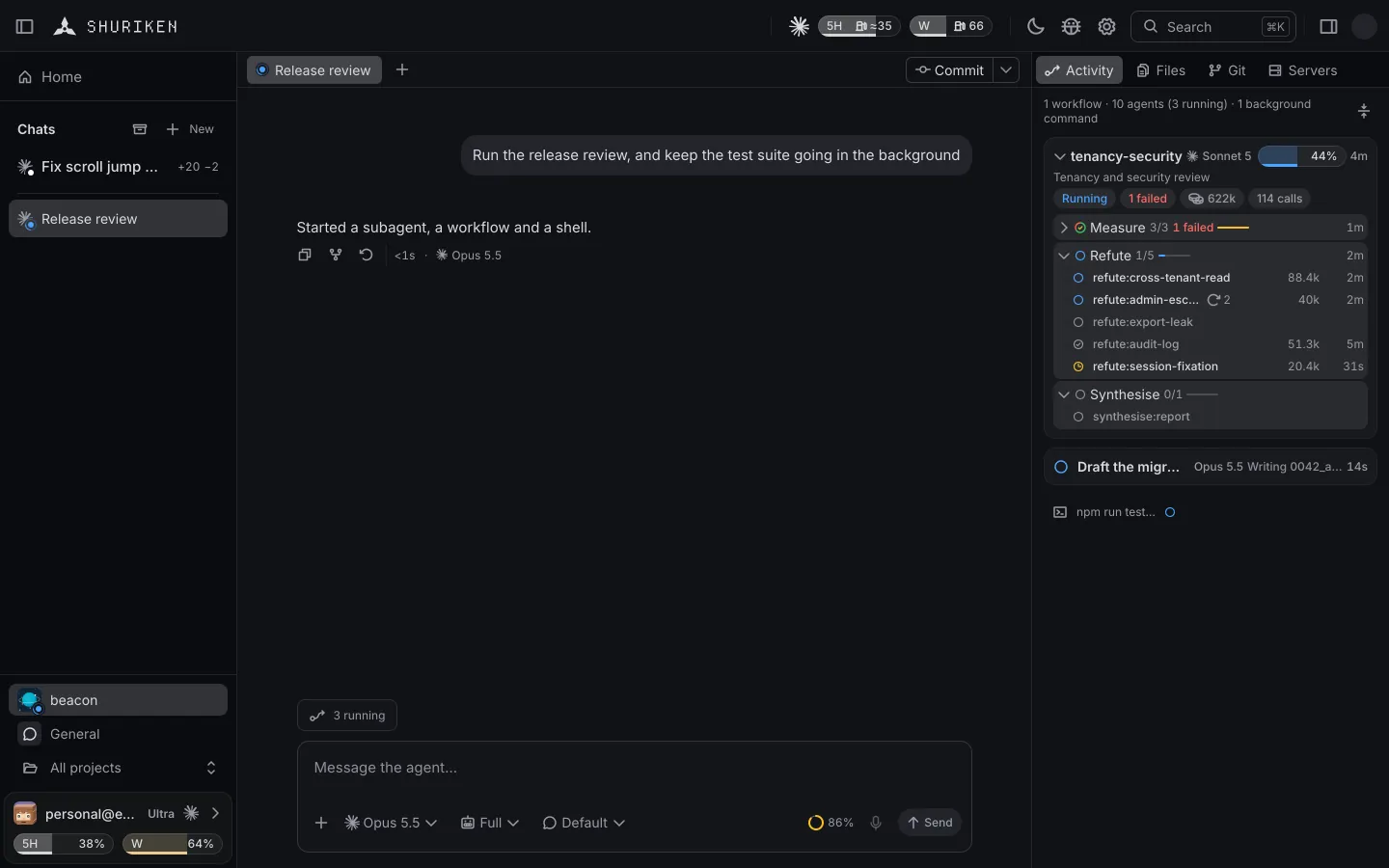
Set the reminder, queue the next two steps, and get up when it goes off. Try Shuriken if your agents could use the shift.
Sources
- Set break reminders and quiet hours (Claude Help Center) (accessed 6 November 2026)
- See your monthly recap (Claude Help Center) (accessed 6 November 2026)
- Anthropic: A new way to reflect on how you use Claude (9 July 2026) (accessed 6 November 2026)
- Claude release notes (Claude Help Center) (accessed 6 November 2026)
Frequently asked questions
Where are Claude's break reminders?
In Settings › Wellbeing on the web or Claude Desktop, or Settings › Time and focus on the older layout. They then apply on the web, Desktop and the mobile app.
Can a break reminder lock me out of Claude?
No. Anthropic's help page says neither break reminders nor quiet hours are a hard lock: you can stop, snooze or dismiss a reminder, and press Continue during quiet hours.
Does Claude's monthly recap include Claude Code?
No. The help page for the Reflect recap says Claude Code and Cowork activity are left out. It shows your most active day, peak hour, conversation count and topics from chats.
Do break reminders change my usage limits?
No. Anthropic says they are separate from your plan's usage limits. The reminder counts your time with Claude, not your usage, and snoozing it gives you no extra usage.
Which plans have break reminders?
On 6 November 2026 Anthropic's help page listed them as a beta on the Free, Pro, Max and Ultra plans.


