Your agents run on your machines, not ours
Shuriken runs coding agents on your own computers and servers. Our cloud links devices and relays sealed messages. Why we chose local, and the trade-off.

Contents
In Shuriken, your coding agents run on your own computers and servers. Your code and your chat history stay there too. Our cloud signs you in, links your devices, relays end-to-end encrypted messages between them and sends notifications. It runs no agents and stores no code.
We decided that before we wrote the first line, and it shaped everything after.
What runs where#
| On your computers and servers | In our cloud |
|---|---|
| Claude Code, Codex, Gemini CLI and every other agent | Signing in |
| Your code and every chat's worktree | Linking your devices |
| Chat history | Relaying sealed messages between them |
| Your sign-ins and API keys, in your encrypted vault | Sending notifications |
| Your MCP sign-ins, sealed when they travel between devices | Your email, first name and plan |
The cloud can't read your chats, the queue, your changes, your voice prompts, your sign-ins, your API keys or your MCP sign-ins. It can't read your project or device names either.
It does keep your email and first name, your plan, the terms you accepted, each device's kind, operating system and rough location, and the bug reports you choose to send. Your password locks your vault and never leaves your device. The full list, and how the encryption works, is on our security page.
Why we chose it#
Your plans and keys are already on your machine. You pay Anthropic, OpenAI or Google directly. Your agents use those plans. We never bill model usage and we never need to hold your key to run anything.
Your files are already on your machine. No uploading a repo, no cloning it into somebody else's VM, no second copy of your .env. The agent works in your real dev setup: your toolchain versions, your local database, the dev server you already run. When an agent needs to see the app, it opens the same dev server you do.
Your machines are already paid for. That fast desktop under the desk, the old laptop, the home server you set up for something else. Shuriken uses all of them. A chat can move to another of your computers or a server, and it clones the repo there and carries on.
Less for us to lose. Data we never hold can't leak from us. That's not a slogan either, it's just arithmetic.
The trade-off#
The honest part is that the machine has to be on.
If your laptop sleeps, its agents stop. In Shuriken's early versions, closing the app window stopped them too, so a lot of what we've built since is about keeping your own computers working. As of 22 October 2026:
- Cocaine mode keeps a computer awake, and on a Mac that includes with the lid closed. See keep Claude Code running with the lid closed.
- The background service keeps agents running when you close the app window. See Background service.
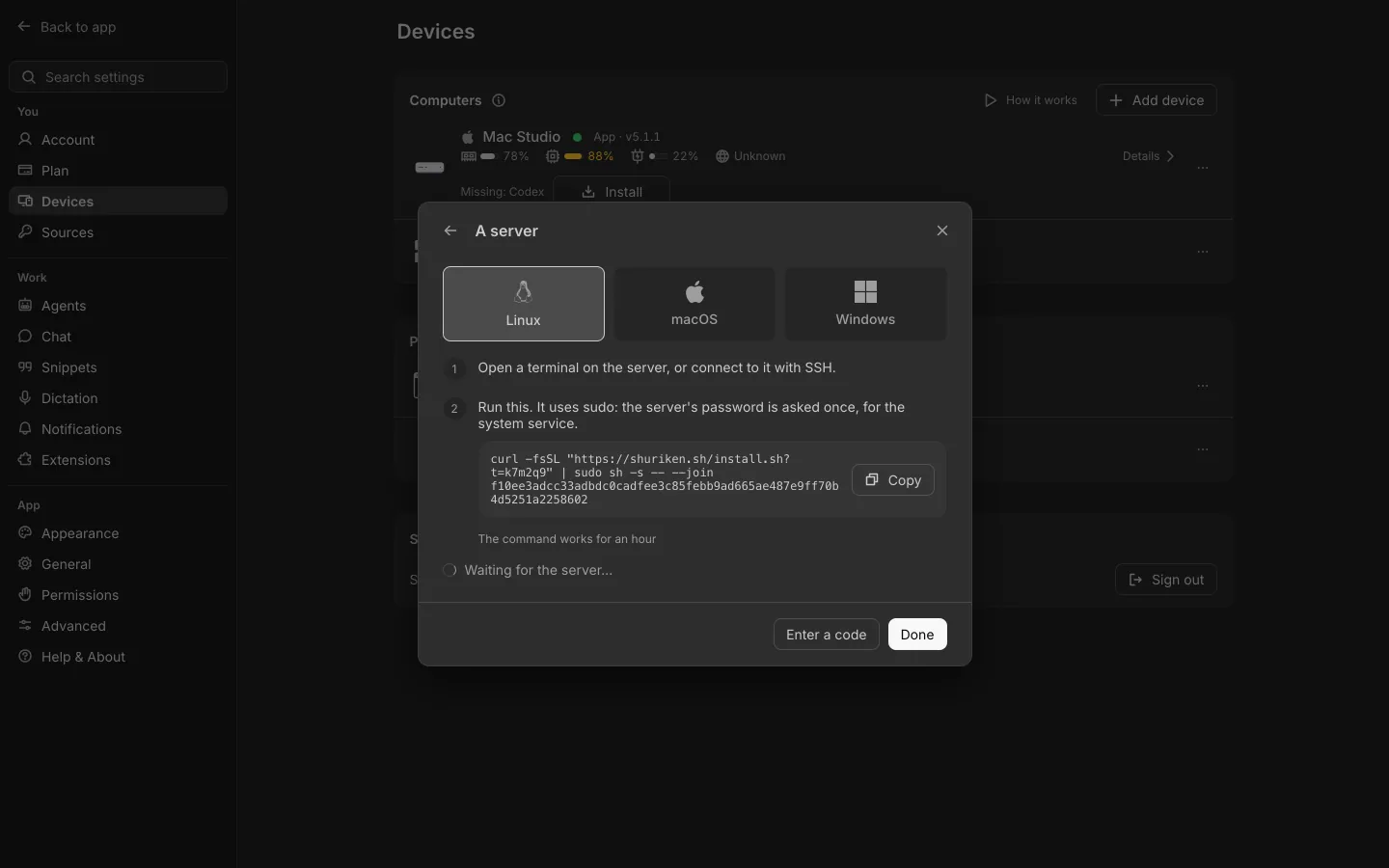
- Servers. Add a Linux, macOS or Windows machine and Shuriken runs on it headless, restarts on its own and updates itself. See Servers and Run Claude Code on an always-on machine.
The other cost: your agents get the CPU, memory and disk your machine has. Five agents building a big project on an 8 GB laptop will feel it. A hosted VM doesn't share your laptop's fan.
When a hosted cloud agent fits better#
Sometimes running in someone else's cloud is the right call, and we'd rather say so.
Cursor's cloud agents "run in isolated VMs in the cloud with full development environments instead of on your local machine", in Cursor's own words. OpenAI's Codex docs describe giving Codex tasks "to work through in the cloud", where each task has its own workspace and "can keep working while your computer is asleep".
That fits better when:
- you don't have a computer that can stay on;
- you want a clean sandbox for every task and don't mind setting up the environment there;
- you want to start a task from a browser, close everything and walk away.
It fits less well when the task needs your local setup, your own subscriptions across several providers, or several machines you already own. We go through the details in Shuriken vs Cursor agents and Shuriken vs the Codex app. And nothing stops you using both.
If your machines are where your work already lives, try Shuriken and let them do the work.
Sources
- Cursor docs: Cloud Agents (accessed 22 October 2026)
- ChatGPT Learn: Codex Cloud (accessed 22 October 2026)
Frequently asked questions
Does Shuriken upload my code?
No. Your code, your agents and your chat history stay on your computers and servers. Our cloud stores no code and no chats, except what you attach to a bug report.
Can Shuriken's cloud read my chats?
No. Messages between your devices are end-to-end encrypted. The cloud can't read chats, the queue, changes, voice, sign-ins, API keys or MCP sign-ins.
What happens when my computer is off?
Agents on that computer stop until it's back. Keep it awake with Cocaine mode, run agents in the background service, or move them to a server that's always on.
When is a hosted cloud agent the better choice?
When you have no machine that stays on, want throwaway sandboxes, or want to start tasks from a browser and close everything. Cursor and Codex both offer that.


