Shuriken on Windows 10 and 11
Run Claude Code, Codex and 65 more coding agents in parallel on Windows 10 and 11. Installer or .zip, x64, with signed updates.

Contents
A lot of people who run coding agents all day do it on Windows. A lot of the apps built for running agents side by side are Mac-first. We kept running into that gap, so Shuriken has shipped for Windows since our very first prerelease, alongside macOS and Linux, from the same code.
What runs on Windows#
It is the full desktop app, not a lite version.
- 67 coding agents, Claude Code and Codex included, each using the sign-ins you already have;
- parallel agents, where every chat gets its own branch in its own git worktree, with no cap from us (your machine and your plans set the limit);
- automatic source switching, so when one of your accounts reaches its limit, your chats move to another of yours and keep going;
- global MCPs: you sign in to an MCP server once and use it in every project;
- the built-in browser with Design mode, where you point at an element of your running app and write what should change;
- voice, turned into text on your own computer by default;
- Open in, which sends a chat's worktree to VS Code, Cursor, a JetBrains IDE, Windows Terminal or Explorer in one click;
- the background service, so agents keep working after you close the window.
And you can follow every chat from your phone or any browser while the PC does the work.
Installing it#
Download from the Windows page. Two choices:
- the installer (.exe), for most people;
- a .zip, if you'd rather not install anything.
Both are for Windows 10 and 11, 64-bit (x64). We don't publish an Arm build yet.
About that SmartScreen warning#
Our Windows builds aren't code-signed with a certificate yet. So the first time you open the installer, Windows SmartScreen may show "Windows protected your PC". That's SmartScreen saying it doesn't recognise the publisher, not that it found something.
To continue, click More info, then Run anyway.
If that makes you pause, fair enough. Here's what we do have in place: since Shuriken 5.0, every update is checked against Shuriken's signature before it installs. The app refuses an update that isn't signed by us.
When code signing for Windows is in place, the warning goes away and we'll say so here.
Keep awake on Windows, since 5.1#
On the Mac, Cocaine mode keeps your agents working with the lid closed. Yes, that's the name. No, we're not changing it.
Since Shuriken 5.1 it works on Windows and Linux too. Because Windows laptops differ, it tells you per computer what it can do: keep running with the lid closed, stay awake with the lid open (and ask for a one-time permission for lid-closed), or simply stay awake. It gets a post of its own.
A Windows PC as a server#
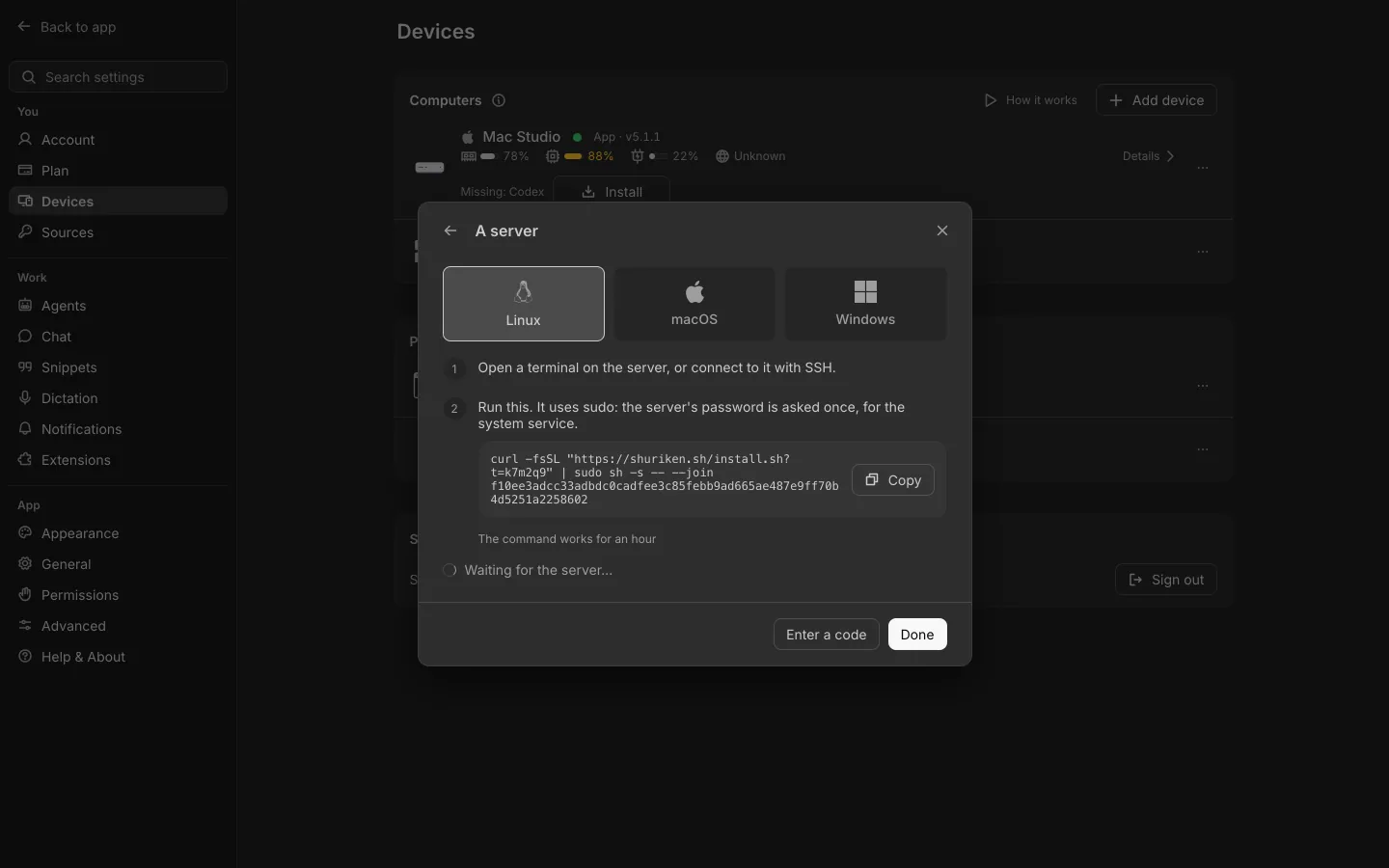
Got a Windows box under the desk that's always on? Make it a server. In the app, open Settings › Devices › Add device, choose A server and pick Windows. It runs as a service, restarts on its own, and updates itself to signed releases. Then you can start chats on it from your laptop or phone. More on the server page.
Why this matters in this space#
Several well-known apps for running coding agents side by side are Mac-first. As of 22 October 2026, Conductor's site says "Run parallel Claude Code, Codex, and Cursor agents in isolated workspaces on your Mac", and Superset's FAQ says its desktop app "runs on macOS, with an experimental Linux AppImage; Windows is not yet available". Both are good tools, and we compare them fairly on our Conductor and Superset pages.
If your main machine runs Windows, or you move between a Windows desktop, a MacBook and a Linux server, Shuriken runs on all three and keeps your chats in step across them. Try Shuriken on Windows and start a few agents.
Sources
- Conductor home page (accessed 22 October 2026)
- Superset home page and FAQ (accessed 22 October 2026)
Frequently asked questions
Does Shuriken run on Windows?
Yes. The desktop app runs on Windows 10 and 11, 64-bit (x64), as an installer (.exe) or a .zip. There is no Arm build yet.
Why does Windows SmartScreen warn me when I open the installer?
Our Windows builds aren't code-signed yet, so SmartScreen may not recognise them. Choose More info, then Run anyway. Updates after that are checked against our signature before they install.
Can I keep a Windows laptop awake while agents work?
Keep awake came to Windows with Shuriken 5.1. For each computer it tells you whether it can keep running with the lid closed or needs the lid open.
Can a Windows PC be a server for my agents?
Yes. Add it from the app under Settings › Devices › Add device › A server and pick Windows. It runs as a service and updates itself to signed releases.


