How MCP sign-ins travel between your devices
Sign in to an MCP server once and every device of yours has it, servers included. Our cloud carries a hash and a sealed box, never your token.

Contents
Here's a small thing that used to drive us up the wall. You sign in to Linear's MCP server on your laptop. Lovely. Then a chat runs on your desktop, or on the server in the cupboard, and Linear asks you to sign in again. On a headless server there's no browser to finish the sign-in in, so you SSH in, copy a URL, paste a redirect back. For every MCP server, on every machine.
We didn't want that. So in Shuriken an MCP sign-in follows you, sealed, to every device you own.
The short version#
- You sign in to an MCP server once, on any device.
- The sign-in is sealed on that device with a key that every device of your Shuriken account holds and our cloud never does.
- Our cloud stores a hash of the sign-in's id and a sealed box. Never the token. Never even the server's address.
- Every other computer and server of yours opens the box and uses the sign-in. From Shuriken 5.1 that includes headless servers with no app running.
The sign-in belongs to the MCP server, not your AI account#
This is the design choice everything else rests on. In Shuriken, an MCP sign-in is its own record, tied to the MCP server you added. It isn't tied to the Claude or ChatGPT account a chat happens to be using.
That matters because Shuriken moves chats between your accounts. When one Claude plan reaches its limit, source switching moves the chat to another of yours. If MCP sign-ins hung off the AI account, every switch would mean "please sign in to GitHub again". Because they hang off the server, a switch changes nothing for your MCPs.
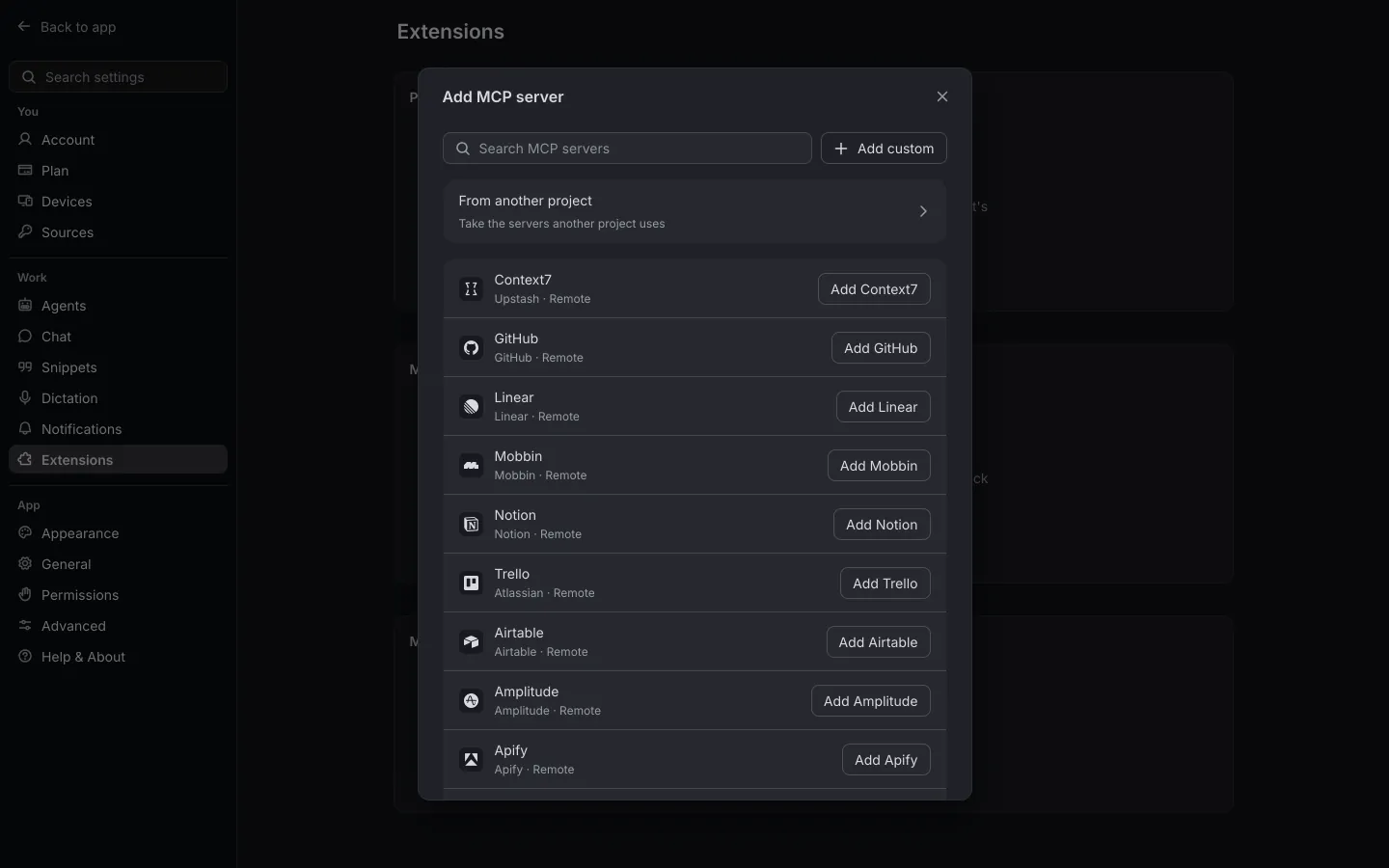
It's also why you can add the same server twice, a work Notion and a personal Notion, each with its own sign-in (Two Notion workspaces, one MCP list shows the setup). And it's what makes Global MCPs work: one list of servers for your agents' chats, assigned to all your projects or the ones you choose, with one sign-in for every account and every computer.
Where a sign-in lives on each device#
On each computer or server, MCP tokens are protected by the system's own secret storage:
- Keychain on a Mac;
- Windows' own encryption for your user account (DPAPI) on Windows;
- libsecret on Linux.
A server without libsecret (plenty of minimal Linux installs) keeps its sign-ins in a single private file that only its user can read, so it still stays signed in after a restart.
How a sign-in travels#
When a device signs in, refreshes a token, or gets refused by the server, it publishes the change straight away. The record is sealed first, then sent to our cloud under a key that is just a hash of the sign-in's id.
| Your devices | Our cloud | |
|---|---|---|
| The MCP server's address | yes | no |
| The access and refresh tokens | yes | no |
| A hash of the sign-in's id | yes | yes |
| The sealed box | yes | yes, but it can't open it |
Your other devices read those rows when they start, when they reconnect, and whenever another device announces a change. Each one takes whatever is newer than what it holds. Older never overwrites newer, so a device that loses a race can't take fresh tokens away from the others.
It's the same rule as the rest of Shuriken: what our cloud can and can't see is written down, and your secrets are on the "can't" side.
The tricky bit: refreshing#
MCP sign-ins expire, and a refresh token gets a new access token. Some authorization servers also hand out a new refresh token every time and refuse a spent one. Spend the same refresh token twice, from two devices or even two processes on one Mac, and the sign-in is simply gone. You're signed out, and you find out halfway through a task.
So only one device refreshes a given sign-in at a time, and the others wait for the result. Before a device uses a sign-in past its expiry, it reads the latest rows first, because another device may already have refreshed it. And no refresh token is spent twice: each device remembers a hash of every refresh token it has spent (never the token itself), so a process still holding an old copy sees it was spent and waits for the new one.
Why servers were the hard part#
Before 5.1, sign-ins travelled between devices inside the desktop app. A server with no app open never got the token another device had refreshed, and never shared its own refresh with them. Its MCP calls failed until you signed in on it again: exactly the SSH-and-paste dance we wanted gone.
From 5.1, your sign-ins are stored sealed in your account, and every Shuriken device gets them, servers included. Sign in on your laptop, and the agent running on your always-on server can use Linear a moment later.
What happens on a new device#
Link it to your Shuriken account and unlock it with a passkey, your password or your recovery key. Your vault opens on that device. The new device reads the sealed rows, opens them, and has your MCP sign-ins. The servers assigned to your projects are there, signed in, the first time a chat needs them.
No browser pop-ups, no copied URLs, no "please authorize again".
How the list of servers itself works is in MCP servers across all your projects. Or try Shuriken and sign in to one server, once.
Frequently asked questions
Can Shuriken's cloud read my MCP tokens?
No. A sign-in is sealed on one of your devices with a key every device of your account holds and our cloud never does. The cloud stores a hash of the sign-in's id and the sealed box.
Do I have to sign in to an MCP server on every computer?
No. Sign in once on any device. Your other computers and servers pick up the sign-in by themselves, including a headless server with no browser.
Where is the MCP token kept on each device?
Protected by the system: Keychain on a Mac, Windows' own encryption for your user (DPAPI) on Windows, libsecret on Linux. A server without libsecret keeps it in a private file only its user can read.
What happens when two devices want to refresh the same sign-in?
Only one refreshes. The others wait and take the new tokens it publishes, so a server that rotates refresh tokens never sees the same one spent twice.


