Best MCP servers for Claude Code (2026)
Our MCP picks for Claude Code, by job: GitHub and Sentry, Linear and Notion, Context7 and DeepWiki, Playwright, Supabase, Neon, PostHog and Stripe.

Contents
For Claude Code we'd pick GitHub and Sentry for code and errors, Linear or Notion for planning, Context7 and DeepWiki for docs, Playwright or Chrome DevTools for the browser, and the servers for the services you already run on (Supabase, Neon, PostHog, Stripe). Add the ones your project needs, not all of them.
We get asked this a lot, partly because Shuriken ships 57 ready-made MCP connectors and a list that long reads like a menu with no specials. So here are the ones we'd add first, grouped by job, with our reasons. No rankings and no benchmarks: we haven't run any, and "best" depends on what you're building.
Code and errors: GitHub, Sentry#
GitHub is GitHub's own server: your repositories and code, issues and pull requests. Claude Code can already run git in your terminal. The MCP adds the parts that live on github.com: the issue it's fixing, the review comments on its own pull request, the code in your other repos.
Sentry searches your errors, triages issues and looks into performance in your Sentry projects. Instead of pasting a stack trace into the chat, you say "fix the top new error in checkout" and the agent reads the event itself.
Both can sign in with OAuth: you approve once in your browser.
Planning: Linear, Notion#
Linear lets the agent find, create and update issues, projects and comments. Our favourite use is boring: "make an issue for each TODO you just left behind".
Notion searches and edits pages and databases. It's where the spec usually lives, so the agent can read it instead of you summarising it.
Docs: Context7, DeepWiki#
These two work without a sign-in, which makes them easy first adds. (Context7 hands out a free key if you want higher rate limits.)
Context7 serves up-to-date documentation and code examples for libraries. It helps most when a library changed after the model learned it, which is exactly when an agent guesses wrong with confidence.
DeepWiki answers questions about any public GitHub repository. Handy when the real docs are "read the source".
Browser: Playwright, Chrome DevTools#
Playwright drives a real browser: navigate, click, fill forms, take screenshots. Chrome DevTools inspects Chrome: console, network, performance traces. Both run on your own machine, with no sign-in.
If you use Shuriken's desktop app, it also has a browser built in beside the chat, where you can point at an element and describe the change. The MCPs are still useful for scripted checks and for agents running on a server.
Data: Supabase, Neon, PostHog#
Supabase and Neon let the agent query and manage your databases. Neon's branches are a nice fit for agents: give it a branch, not production. PostHog covers analytics queries, feature flags, experiments and SQL, so "did that change move sign-ups?" becomes a question the agent can answer.
A sensible rule for all three: connect a development project first. An agent with write access to production data is a bold choice.
Payments: Stripe#
Stripe works with customers, payments, subscriptions and invoices through the Stripe API. Great for support questions and for building billing features against real shapes of data. Same rule as above: start in a sandbox, not live mode.
Setting them up by hand#
Claude Code adds a remote server with one command, for example claude mcp add --transport http notion https://mcp.notion.com/mcp, and /mcp inside a session walks you through the sign-in. Add --scope user and the server loads in all your projects, not just the current one (see the Claude Code MCP docs).
That works well for one account on one computer. It gets fiddly when you have more: a separate Claude config per account means adding and signing in to each server once per config, a second computer means doing it all again, and Codex keeps its own list. Our guide on setting up MCP servers once for every project, linked below, goes through the manual options.
How Shuriken does it#
We kept hearing that switching accounts meant signing in to Notion (and GitHub, and Linear) all over again, so we built Global MCPs:
- One list of MCP servers for every project and account. From 5.1.0 you can also set a server up once for just the projects you choose.
- Sign in once. The sign-in belongs to the server, not to your AI account, so when source switching moves a chat to another of your accounts, nothing asks you to sign in again.
- Several sign-ins per server. Work and personal Notion? Add it twice, each with its own sign-in.
- Synced, end-to-end encrypted. Sign-ins travel sealed between your devices, servers included. Our cloud sees a hash and a sealed box.
- Every agent gets the list. Claude Code, Codex, Gemini CLI, GitHub Copilot, Cursor and OpenCode chats are handed the same servers when they start, so there's no second config to keep in step.
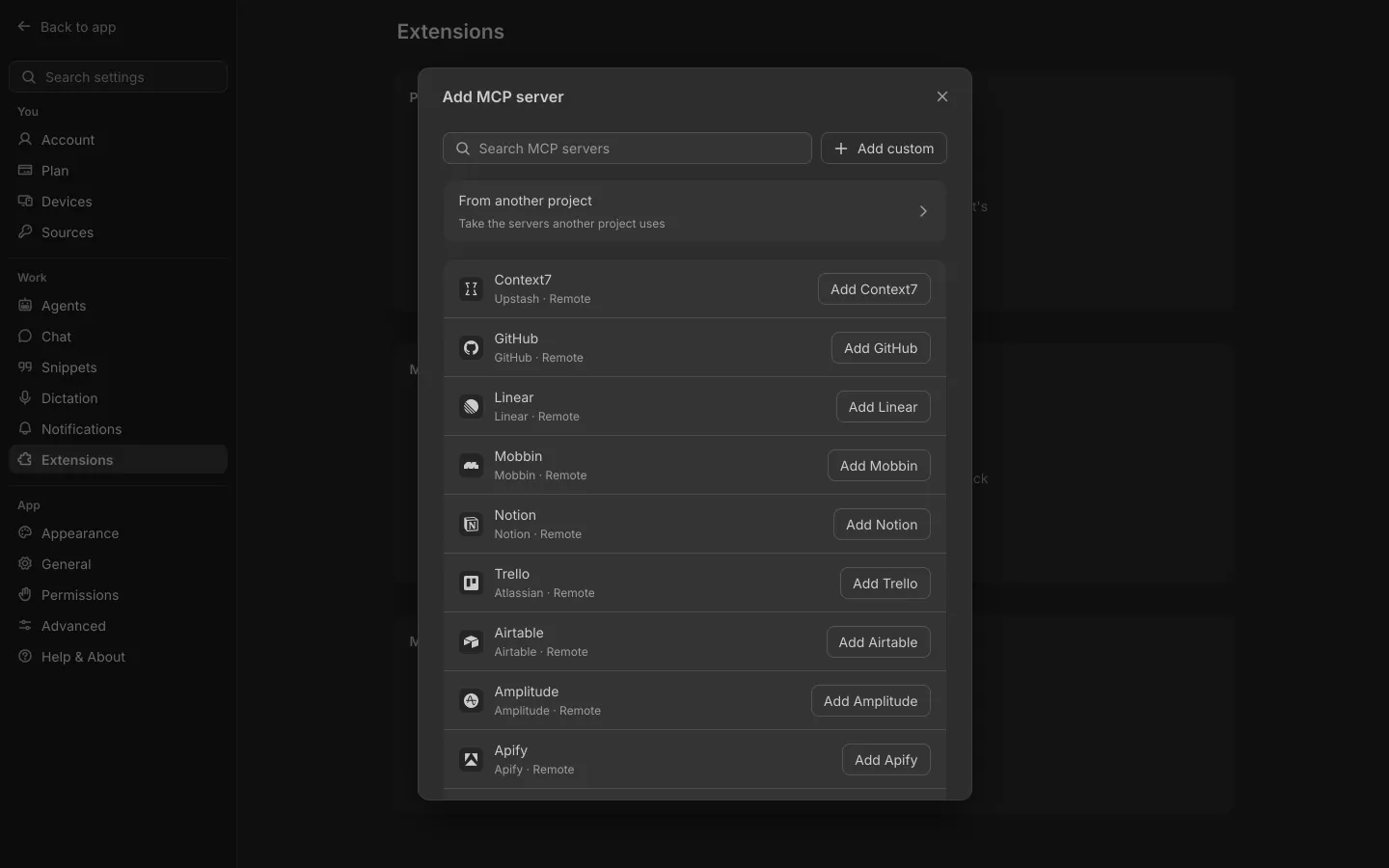
Every server in this post is one of the 57 ready-made connectors. Anything else can be added by its address or its command. If that sounds like less setup than you're doing now, try Shuriken and add your first one.
Frequently asked questions
How many MCP servers should I add to Claude Code?
Only the ones a project really uses. Each server adds its tools to the agent's list, so a short list per project keeps the agent focused. Start with one per job you actually do.
Do these MCP servers cost money?
Connecting the server itself is generally free. The services behind most of them (Sentry, Linear, Supabase, Stripe and so on) have their own plans, and the MCP can do whatever your account there allows.
Can I use two accounts of the same MCP server, like work and personal Notion?
In Shuriken, yes: add the server twice and give each its own sign-in. Neither asks again when you switch accounts or computers.
Are Global MCPs a paid feature?
No. Global MCPs, the 57 ready-made connectors and several sign-ins per server are on every plan, Free included.


