Shuriken's new design, and how we keep it
On 21 October we rebuilt Shuriken's design system: tokens, one toast, one icon set, calmer screens and a test that refuses one-off UI. Before and now.

Contents
For three weeks we shipped almost every day. Twenty-three releases in 21 days gets a lot built, and it also leaves marks. By 5.0, Shuriken worked well and looked like it had been built by several people who never talked to each other. Given how fast it grew, that is roughly what happened.
So on 21 October we rebuilt the design system from scratch, along with a test that keeps it from drifting back. The test is the part we're proudest of.
What felt wrong#
We use Shuriken all day to run our own parallel agents, so we see every rough edge. These kept bothering us:
- Every screen drew its own cards, with slightly different corners and padding, and a border on one and not the next.
- Toasts turned up in different places: top centre, inside a pane, now and then partly off-screen, sometimes with a progress bar that just stopped.
- Icons sat in tinted tiles and cards had coloured edges, so colour was decoration and stopped meaning anything. Some screens looked vibe-coded, in a tool people trust with their accounts.
- Two pages' empty states didn't match.
- A closed project's ✕ had no hover, while the button next to it did.
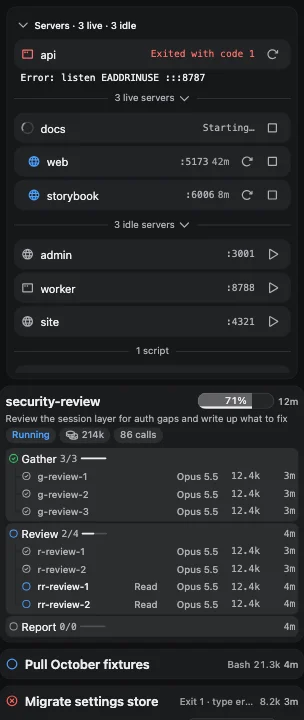
- The servers list in the side panel was a stack of dropdowns inside dropdowns.
Then we measured. A scan for UI that didn't come from shared components found one-offs in 123 files: 264 hard-coded colours, 82 hand-set spacings, 27 hand-set corners, 21 hand-styled buttons, 6 shadows, 4 extra toast hosts and one stray font size.
What we changed#
The rules first#
The design system is one document, docs/design-system.md, and it opens with eight rules. Five of them shaped the rest.
- Keep the skeleton: sidebar, main column, side panel, top bar. We changed what's drawn inside them, not where things are.
- Calm, with room. Fewer lines, fewer fills, more space between groups than inside them. When a screen feels cramped, remove something; never shrink a control.
- No brand accent. On 21 October the one primary button was plain white on dark themes and near-black on light ones. On 24 October we tried VS Code's blue, #0078D4, for the primary button, a switch that is on, the focus ring and links. Two days later we went back: since 26 October those are white again on dark and near-black on light, the same as the buttons on this site.
- Colour only means state. Green for success, amber for waiting, red for failed or out, blue for running, and never as a card tint, a coloured border or a wash.
- Every element comes from the system. A screen puts components together. If something new is needed, it becomes a component in
components/ui/first, and then the screen uses it.
Tokens#
Every colour, size and corner now comes from a named token in theme.ts. Surfaces have four levels: the sidebar, the page, a card and anything floating. Text has three, each with a minimum contrast of 4.5:1. There is one card corner (12 px), a short list of type sizes and a spacing scale. Every theme fills in the same roles, so a screen built once looks right in all of them. Since 5.1.1 there are two, Dark and Light, plus System, which follows your computer.
One icon set#
We moved from lucide to Phosphor. Phosphor draws every icon in matching weights, so "bold for the interface" became one setting instead of a line width tuned icon by icon. Icons came in two sizes, 16 and 20, and stood on their own, with no tile or circle behind them.
One toast#
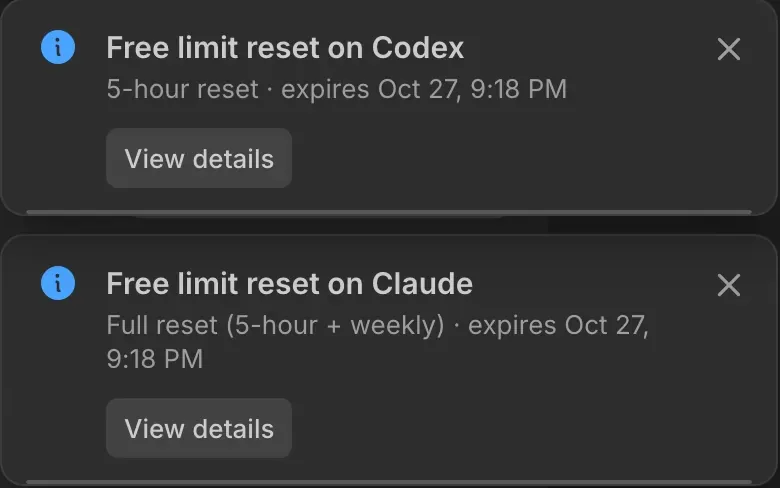
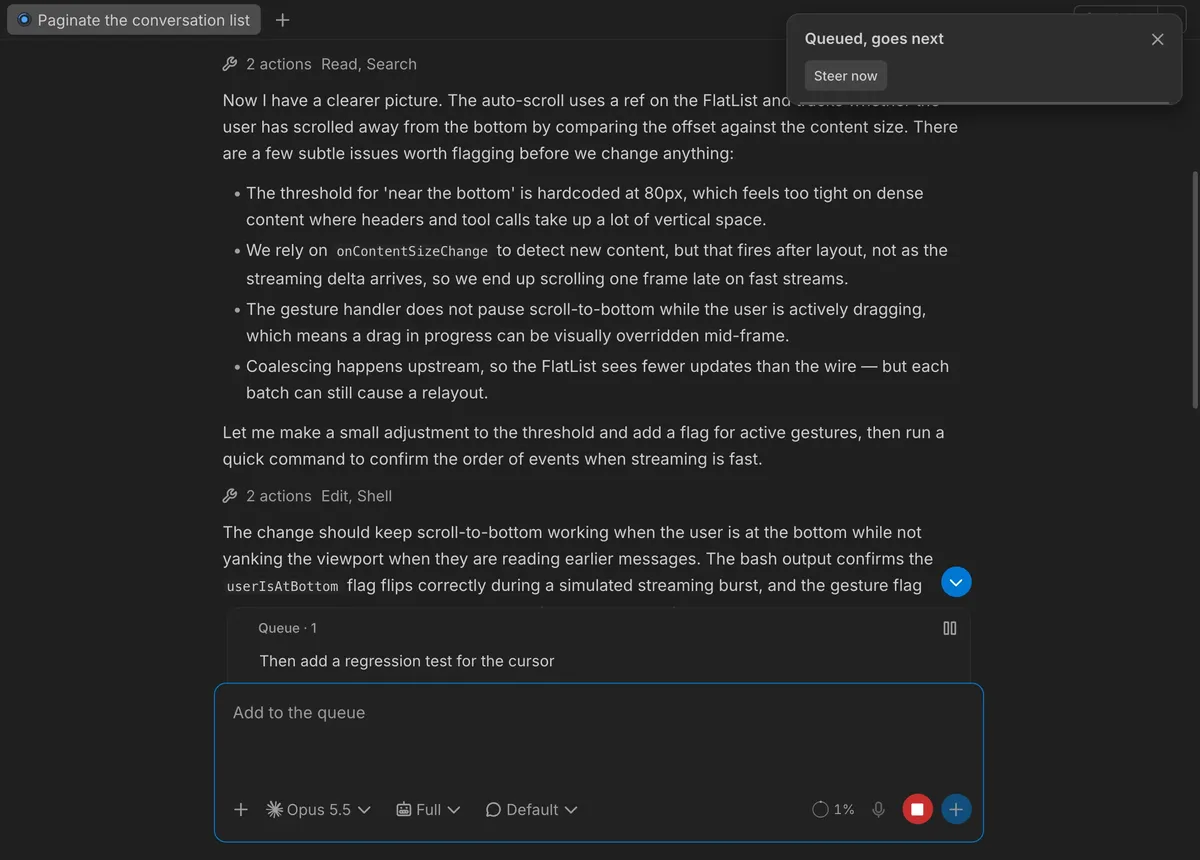
News shows up in one place now: top right on a computer, just under the top bar, and under the header on a phone. Every toast is the same dark card with a glyph, a title, an optional line and button, and a thin line along the bottom that counts down. It slides in 16 px from the right over 200 ms and stays for a set time:
- a success, 2.5 seconds
- an error, 6 seconds
- one waiting for an answer, 12 seconds
- work in progress, like a download, until it's done
A toast you dismissed never comes back.
The screens#
With the parts settled, we went through every screen.
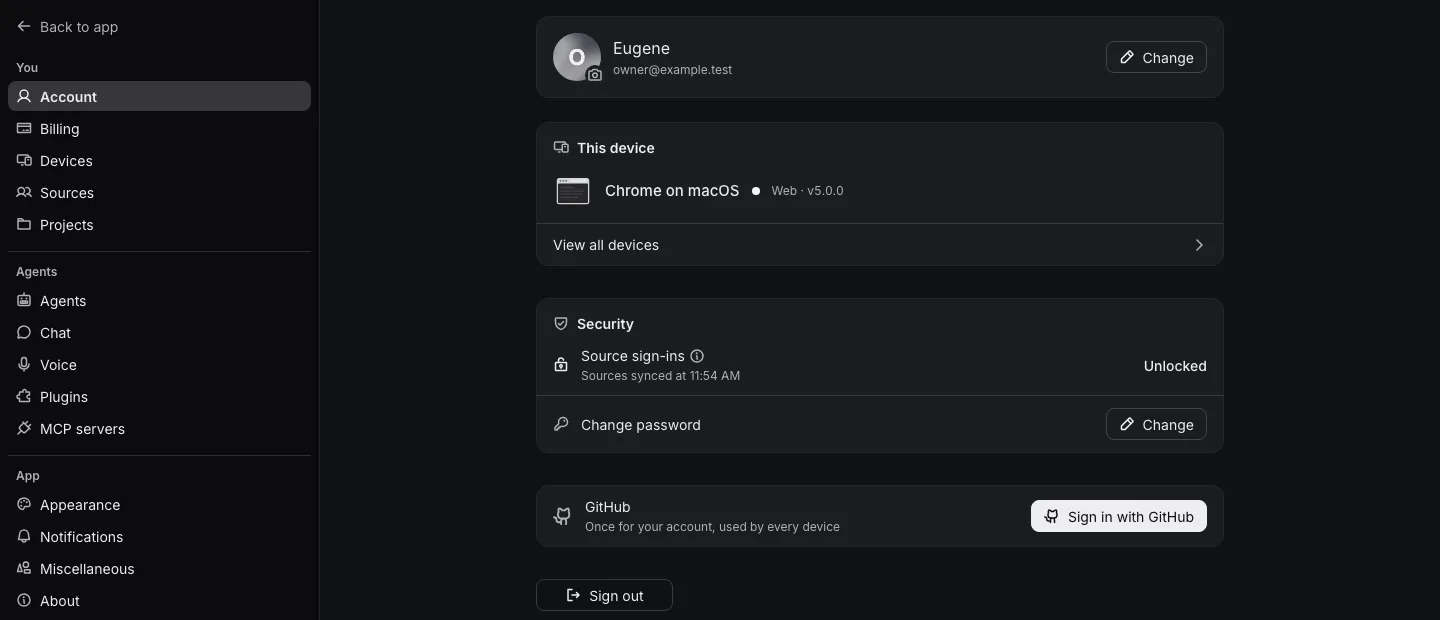
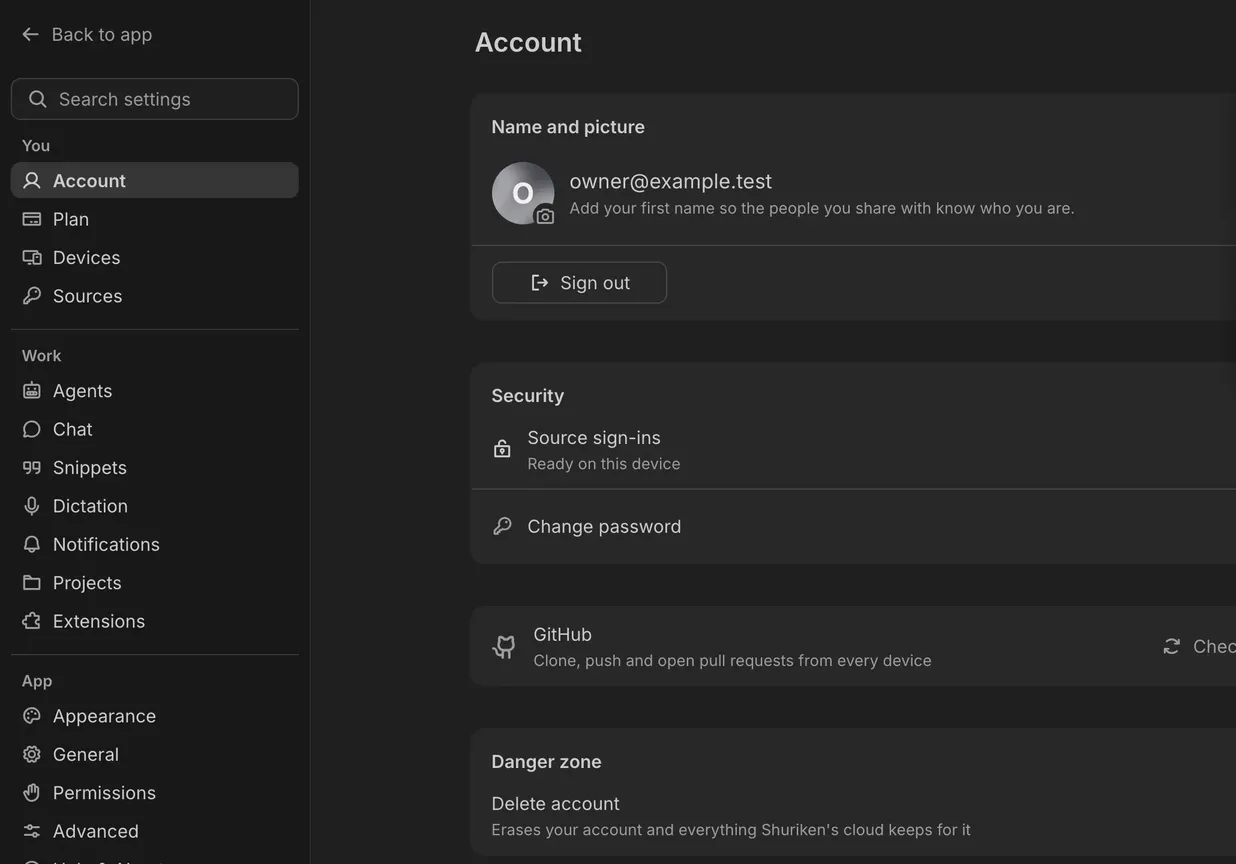
Settings is sorted into three groups, You, Work and App, with the rarely needed options on Advanced. The settings menu became as wide as the app's sidebar (240 instead of 320), so the page doesn't jump when you open Settings. Each section's title sits inside its card, and the icon headers are gone.
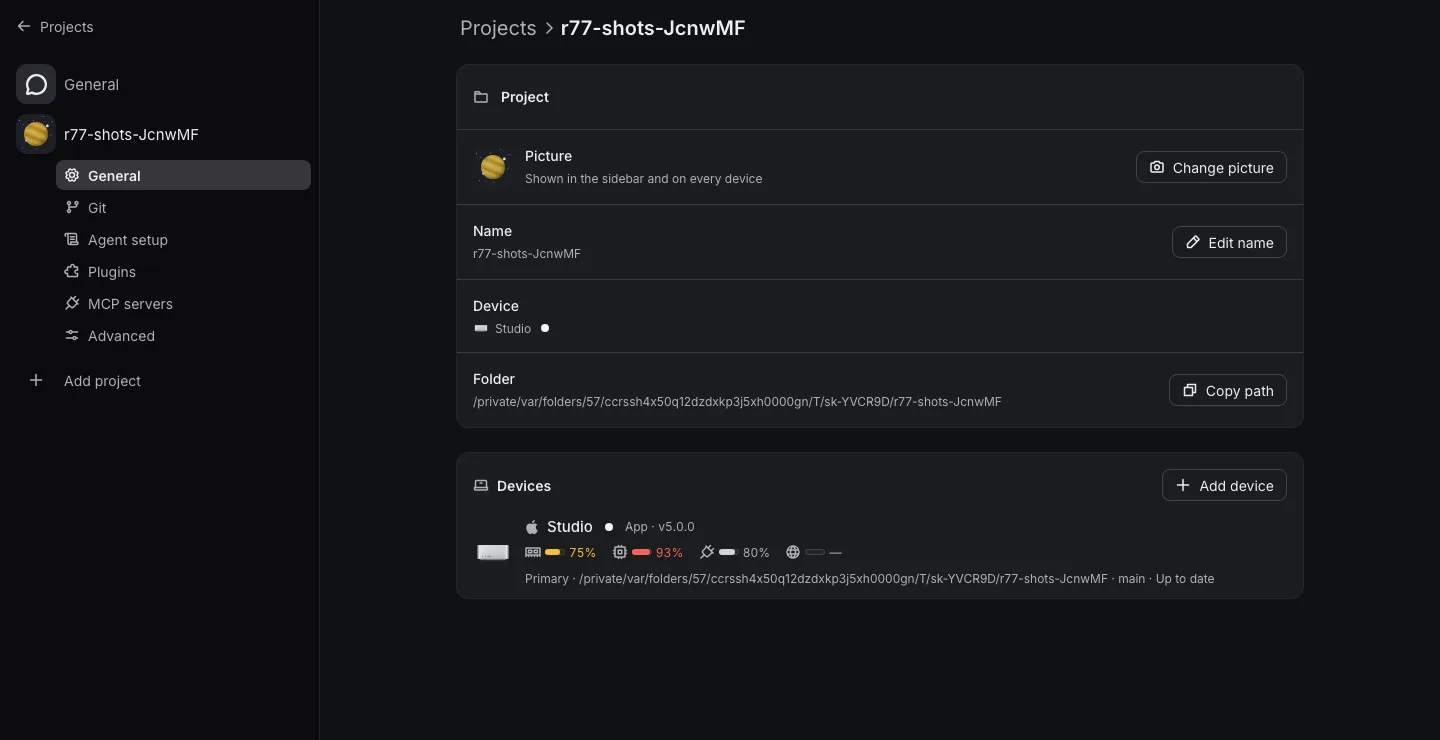
Project settings show the folder path once, shortened, instead of twice in full. The device card loses its row of meters, and the actions you take on a project get their own cards.
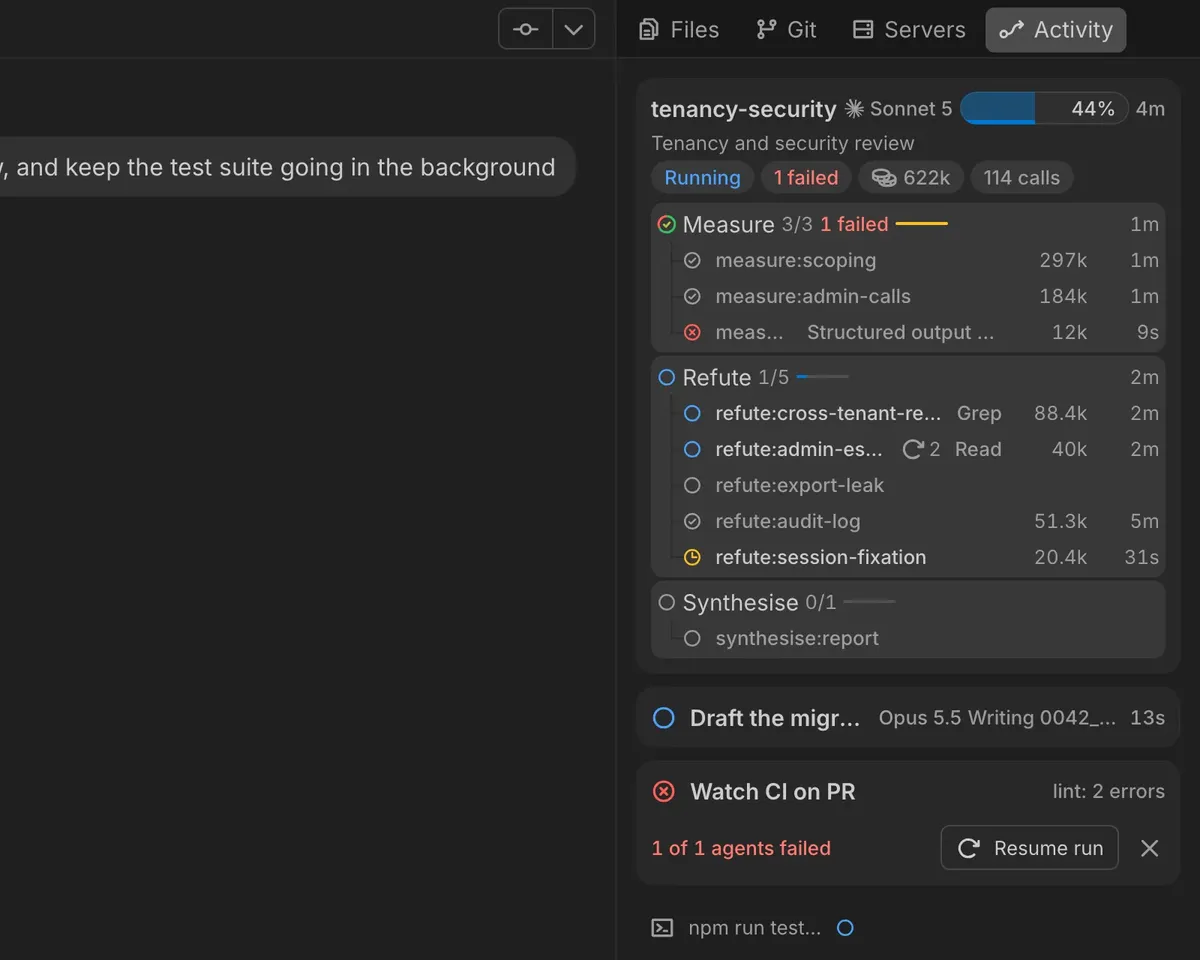
Servers left the nested dropdowns for one flat list: a status dot, the name, the port, and Open and Stop on hover. Idle servers fold into "Show 4 idle". The run cards, which Activity shows for subagents and workflows, are plain cards. Since 5.1.1 the side panel has four tabs beside each project: Files, Git, Servers and Activity.
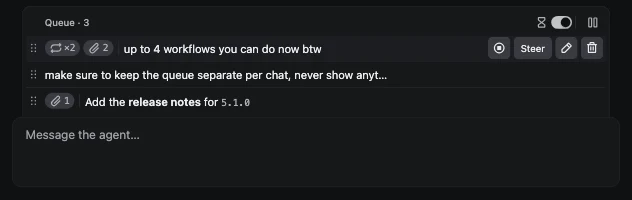
The queue row got its last pass: one line, small pills for repeats and attachments, a real Steer button and bare icons for edit, repeat and delete.
A few more: Home and Dashboard became one page, with your projects on top and your numbers under them (since 5.1.2 the numbers have their own Analytics page under Home). The logo moved into the top bar, with search on its right. Files an agent creates show as file cards in the chat, built from the same parts.
What 5.1.1 added#
The rules held when we went on building. 5.1.1 made three more changes on top of the rebuild:
- Two themes. Dark and Light, plus System, which follows your computer. Ten themes meant ten sets of colours to keep right on every screen; two we can check by eye.
- Everything 8% larger. Text and spacing grew by 8%, so the app reads at a comfortable size without zooming.
- Readings in the top bar. Your battery, memory, CPU and internet sit next to the fuel gauge, for the computer you're working on.

How we keep it consistent#
A design document is a wish unless something enforces it. So the rebuild came with a guard, one-off-ui.test.ts, that reads every screen and refuses one-off UI. It fails on six things.
- a hard-coded colour
- a numeric font size
- a hand-set corner, padding or shadow
- a button styled by hand
- a second toast host
- an icon from the old set
When the test fails, the change doesn't land.
A rule like that can't go on overnight when 123 files already break it, so the guard started with an allow-list, allowlist.ts: every file it would have failed, each with a count that works as a ceiling. A count can go down, never up. Whoever fixes a one-off lowers that file's number in the same change, so the space can't be quietly reused later.
Then we burned the list down. By the end of the day it had gone from 123 files to 26, and every one of the 26 is there for the same reason: it's colour that isn't ours. Terminal colours, provider logos, file-type icons, chart series, the inks you mark up a screenshot with, a web page's own colours, our logo. The guard refuses any row whose reason doesn't start with "content colour".
The rule we hold ourselves to: anything new gets drawn with a design-system component, or the missing component gets added first. "It's a one-off" is no longer an exception. It's the next component.
What's next#
The rebuild is done and it's in Shuriken 5.1.1, for everyone. We'll keep fixing the edges we still find. If something looks off to you, use Report a bug in the top bar. And if you haven't tried Shuriken yet, try it here.
Frequently asked questions
Which themes are there now?
Two, Dark and Light, plus System, which follows your computer. Since 5.1.1 the old dark tints open as Dark and Paper opens as Light, so nobody lands on a theme that no longer exists.
Did things move around?
The layout didn't: sidebar, main column, side panel and top bar are where they were. Settings is now sorted into You, Work and App, and old links to a settings page still land on the page that replaced it.
When do I get it?
It's in Shuriken 5.1.1. The rebuild was finished on 21 October, and 5.1.1 added the two themes, the 8% larger size and the readings in the top bar.
Does Shuriken respect reduced motion?
Yes. With reduced motion on, things simply appear and disappear, and spinners turn slower. A toast's countdown line still runs, because it tells you how long the toast stays.


